How Tenants Can Add or Update a Payment Method
Get expert property management insights, straight to your inbox.
This help article explains how tenants and renters can add or update their payment method in MagicDoor.
Inside, you’ll find:
- Where to update payment methods from the Home or Payment Methods tab
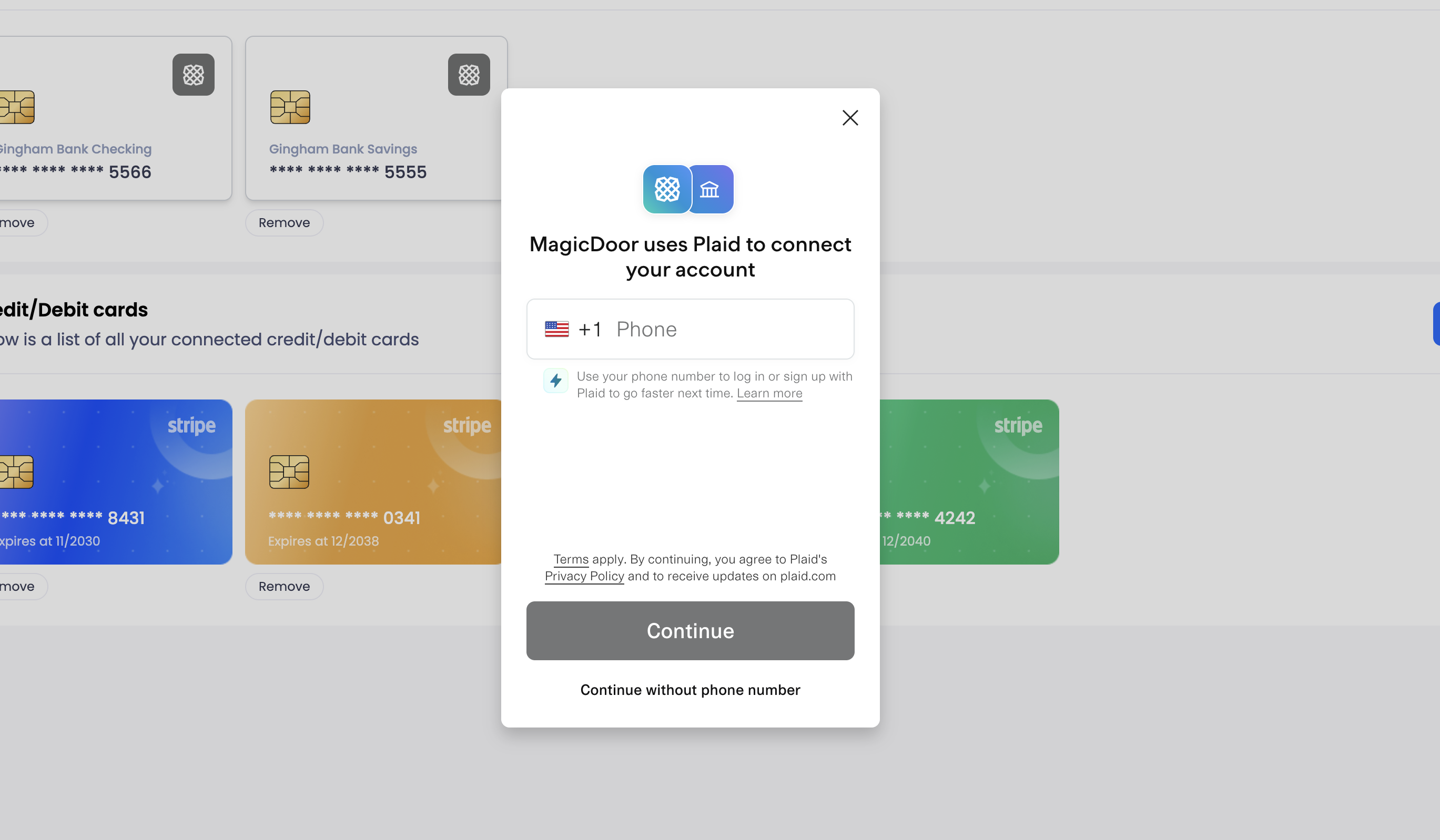
- How to connect a bank account using Plaid
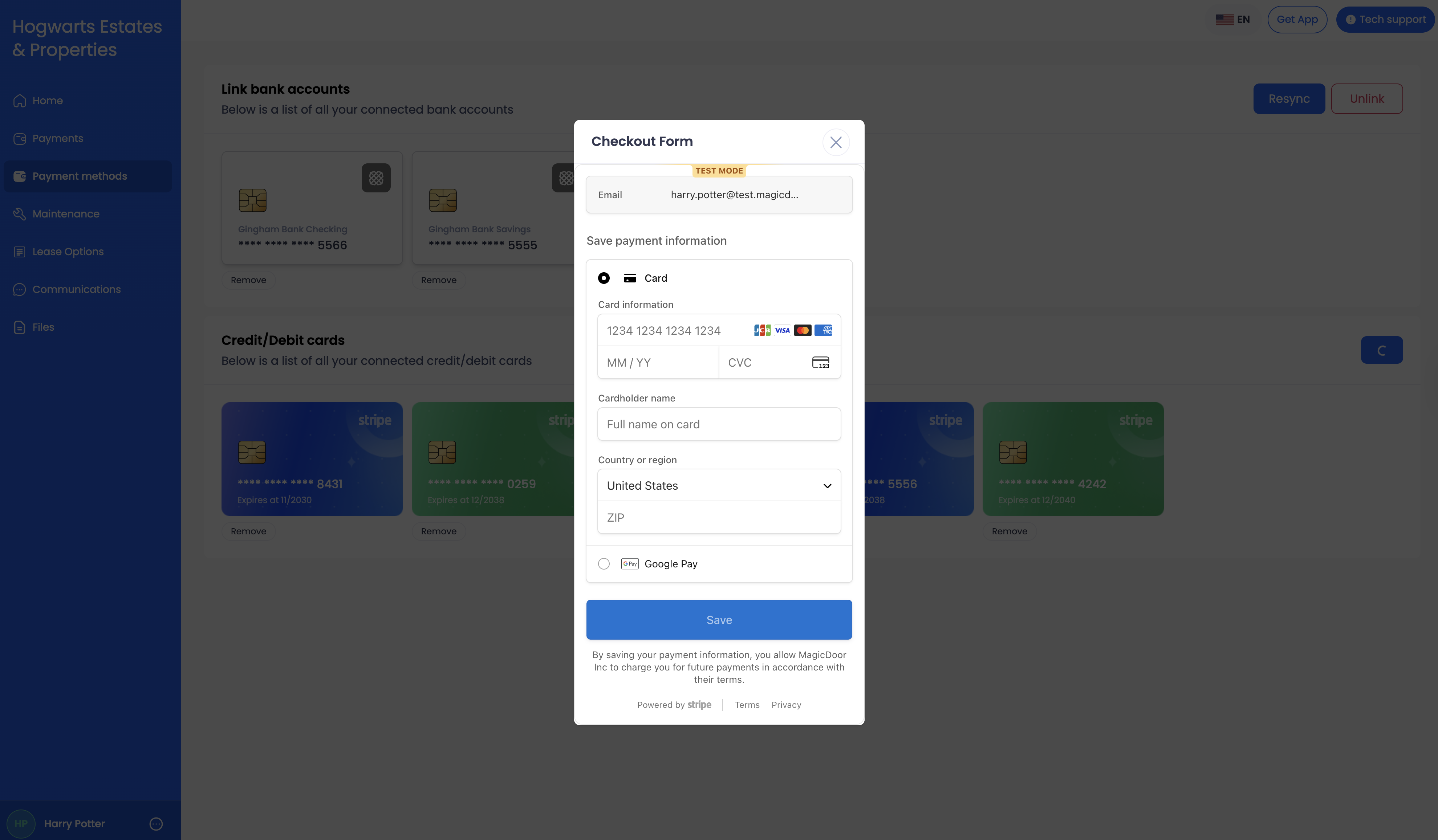
- How to add a credit or debit card
- What information is required to complete setup
Use this article as a reference when updating how you pay rent or other property-related charges.
How to Add or Update Your Payment Method
You can update your payment method from the Home or Payment Methods tab in the left menu.
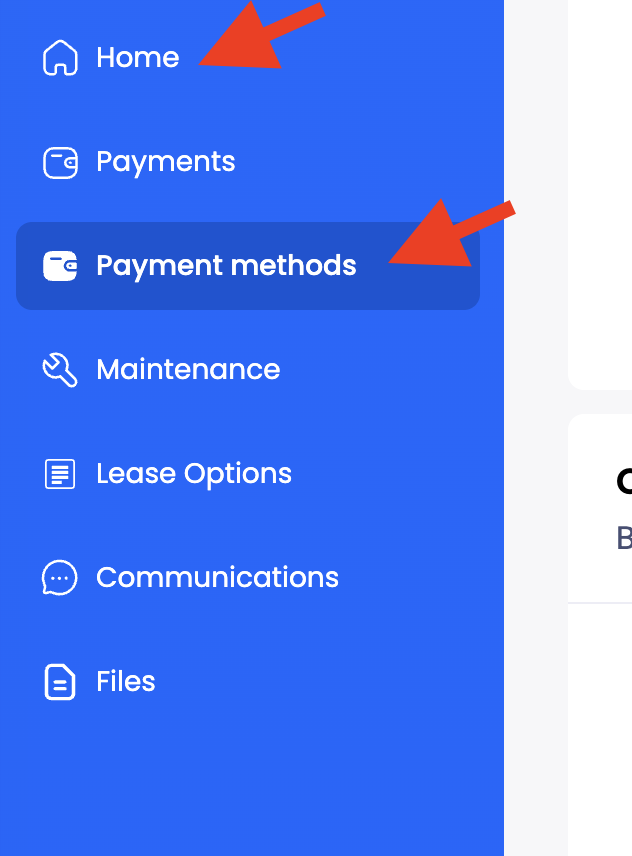
Under Home
Select this button.

Under Payment Methods
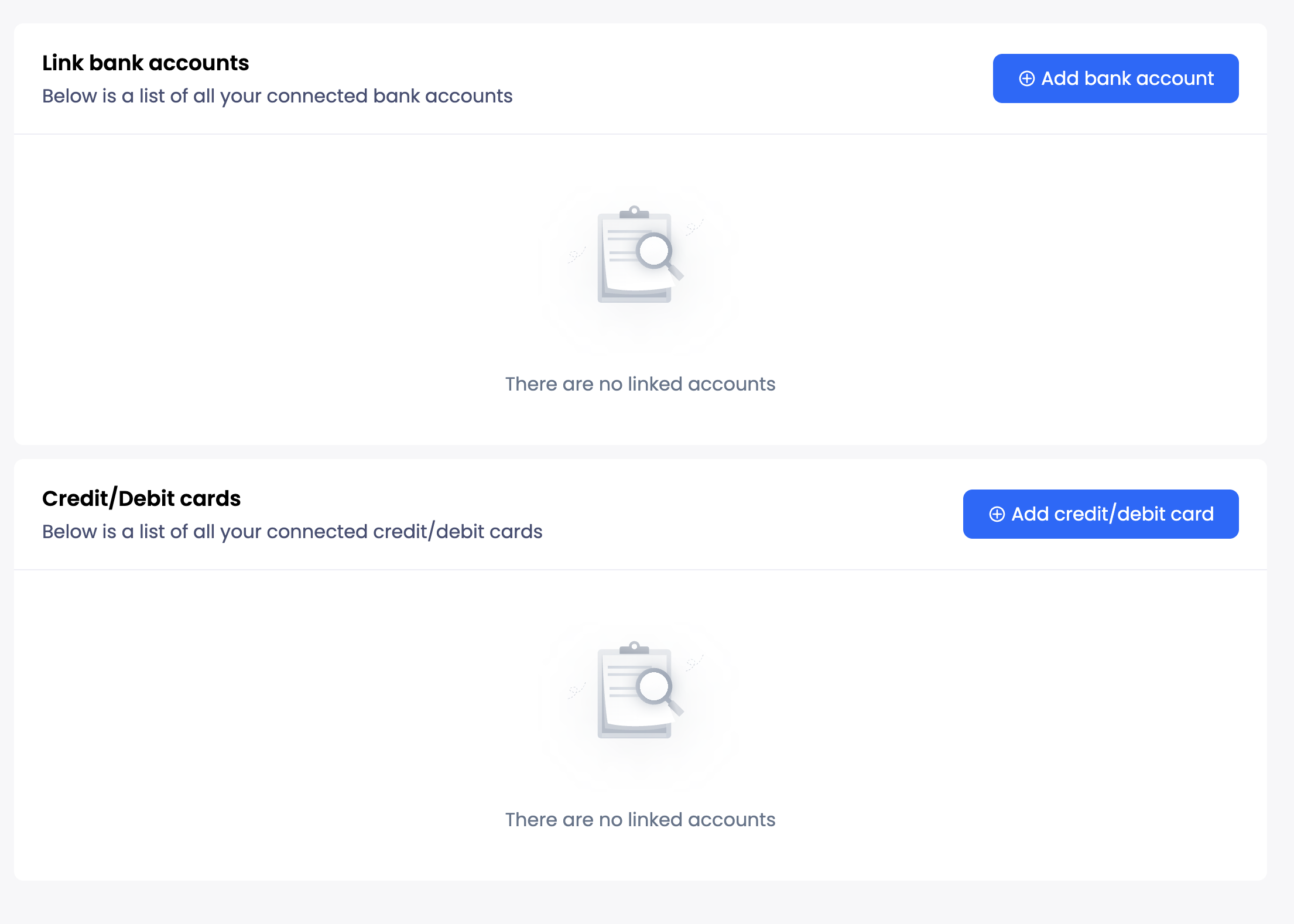
Add Bank Account
1- Click Update Payment Method.
2- Select Add a Bank Account.
3- Enter your phone number, or continue without it.
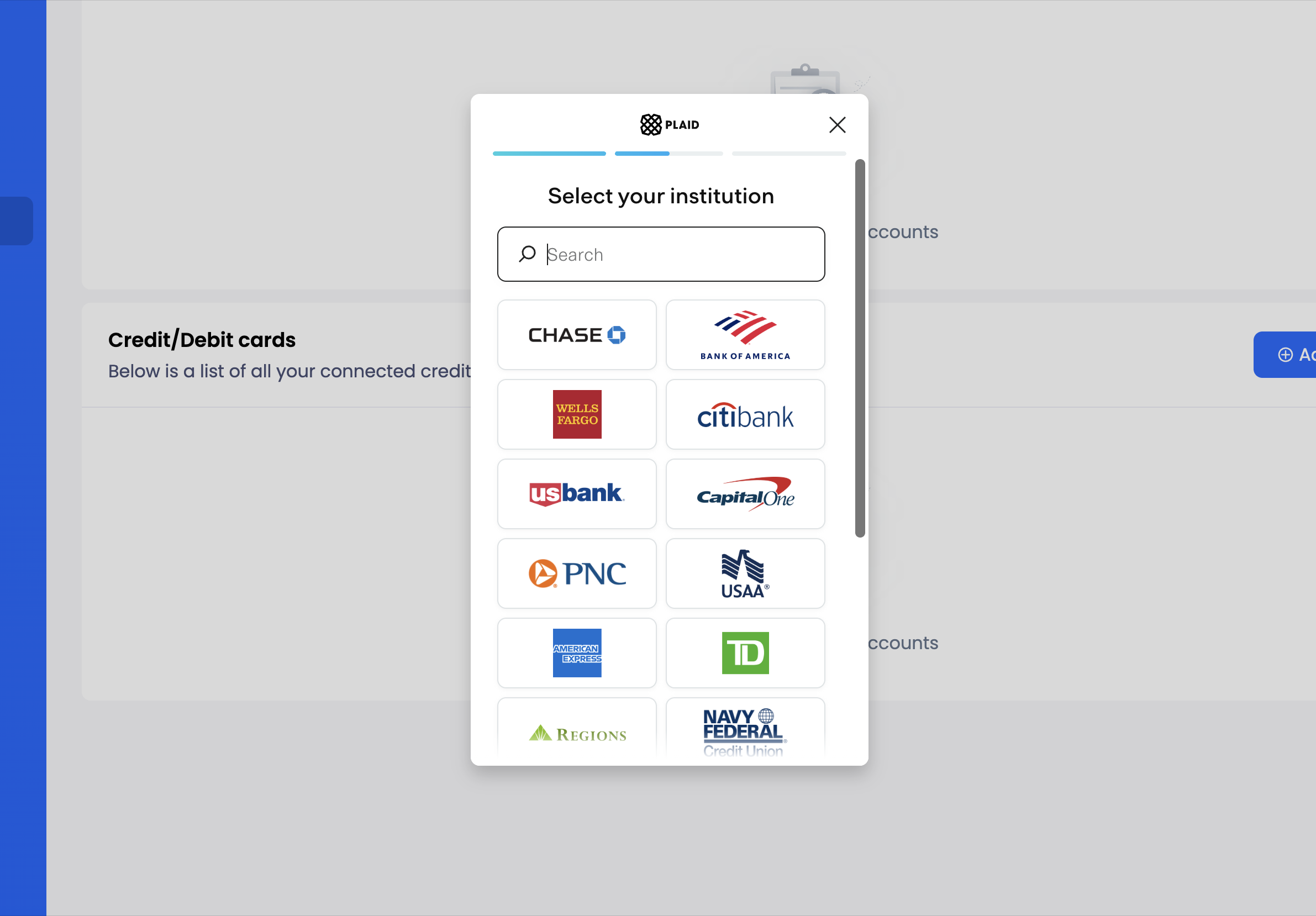
4- Choose your bank and sign in. You will need your username (or user ID) and password to log in.
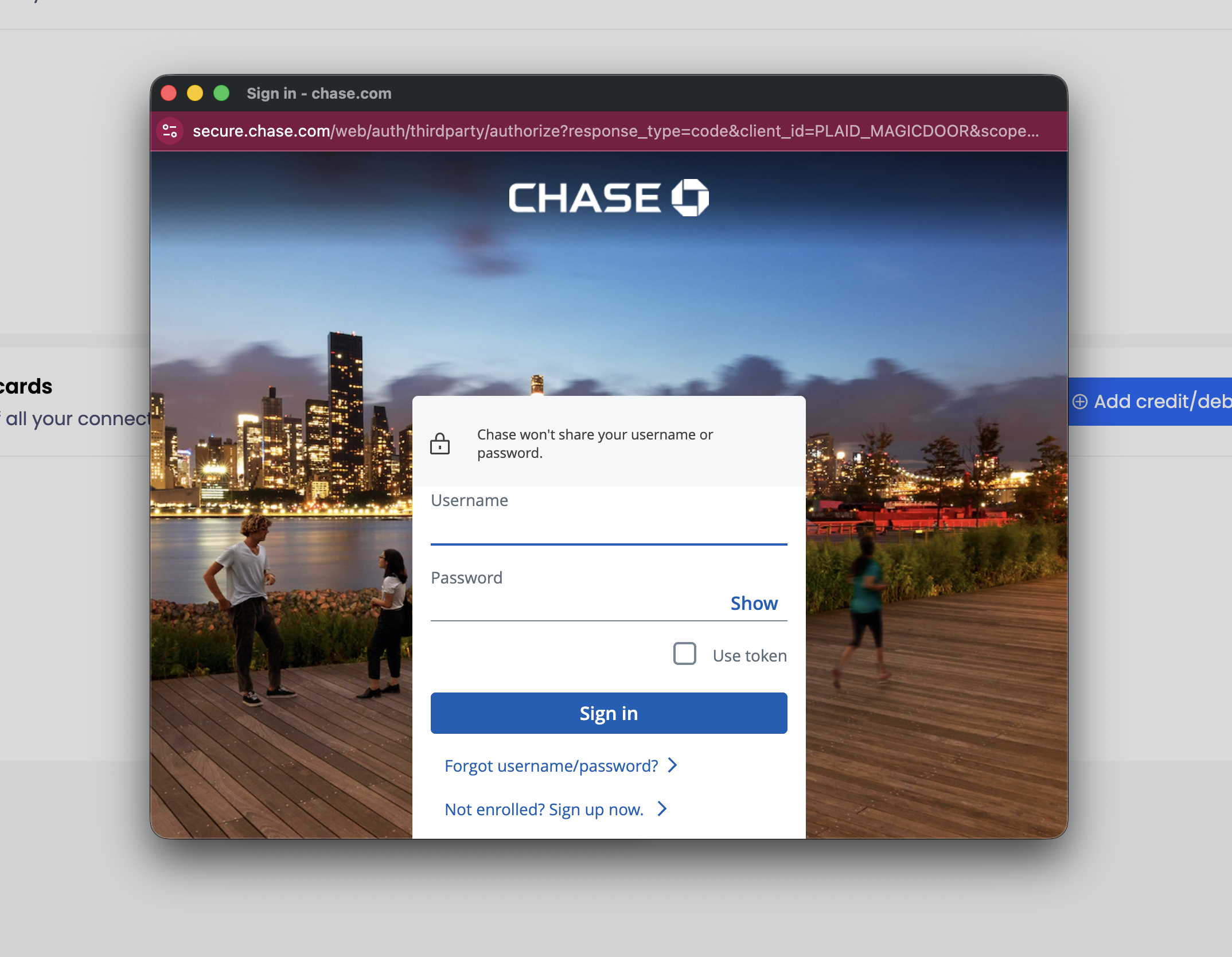
5- Confirm the correct account and scroll down to check the required boxes.
6- Finish the setup.
Optional:
For faster setup next time, you can save your phone number with Plaid, or skip saving.
Add a Credit or Debit Card
1- Click Update Payment Method.
2- Select Add Credit/Debit.
3- Enter your card details.
4- Click Save.
Need More Help?
If you have questions, our support team is always here to assist.
👉 Contact us anytime at support@magicdoor.com
📞 Call us at: (888) 887 - 8780 (9:00 AM – 5:00 PM PST)