How to Set Up Grace Balance for Late Fees
Get expert property management insights, straight to your inbox.
This help article explains how to set up and manage the Grace Balance feature in MagicDoor.
Inside, you'll find:
- Understanding what the Grace Balance is and how it works
- Navigating to the Grace Balance setting
- Setting a minimum unpaid balance threshold for late fees
- Using the Add New Override option to apply lease-specific grace balance values
Use this article as a reference when configuring late fee settings or adjusting thresholds for specific leases.
Step 1: Understand How Grace Balance Works
The Grace Balance is a configurable threshold that tells MagicDoor when to start applying late fees. It defines the maximum unpaid balance a tenant can carry on their ledger after the rent due date before the system automatically generates a late fee.
- If the outstanding balance is equal to or less than the grace balance amount, no late fee is applied.
- If the outstanding balance exceeds the grace balance, the late fee applies.
Most property managers set this to $0.00 by default, so any outstanding amount, even one cent, triggers a late fee. Raising the threshold can help avoid penalizing tenants for minor administrative discrepancies.
Step 2: Navigate to Grace Balance Settings
To configure the Grace Balance, go to the late fee settings in your account.
- Go to Settings.
- Select Late Fee Settings.
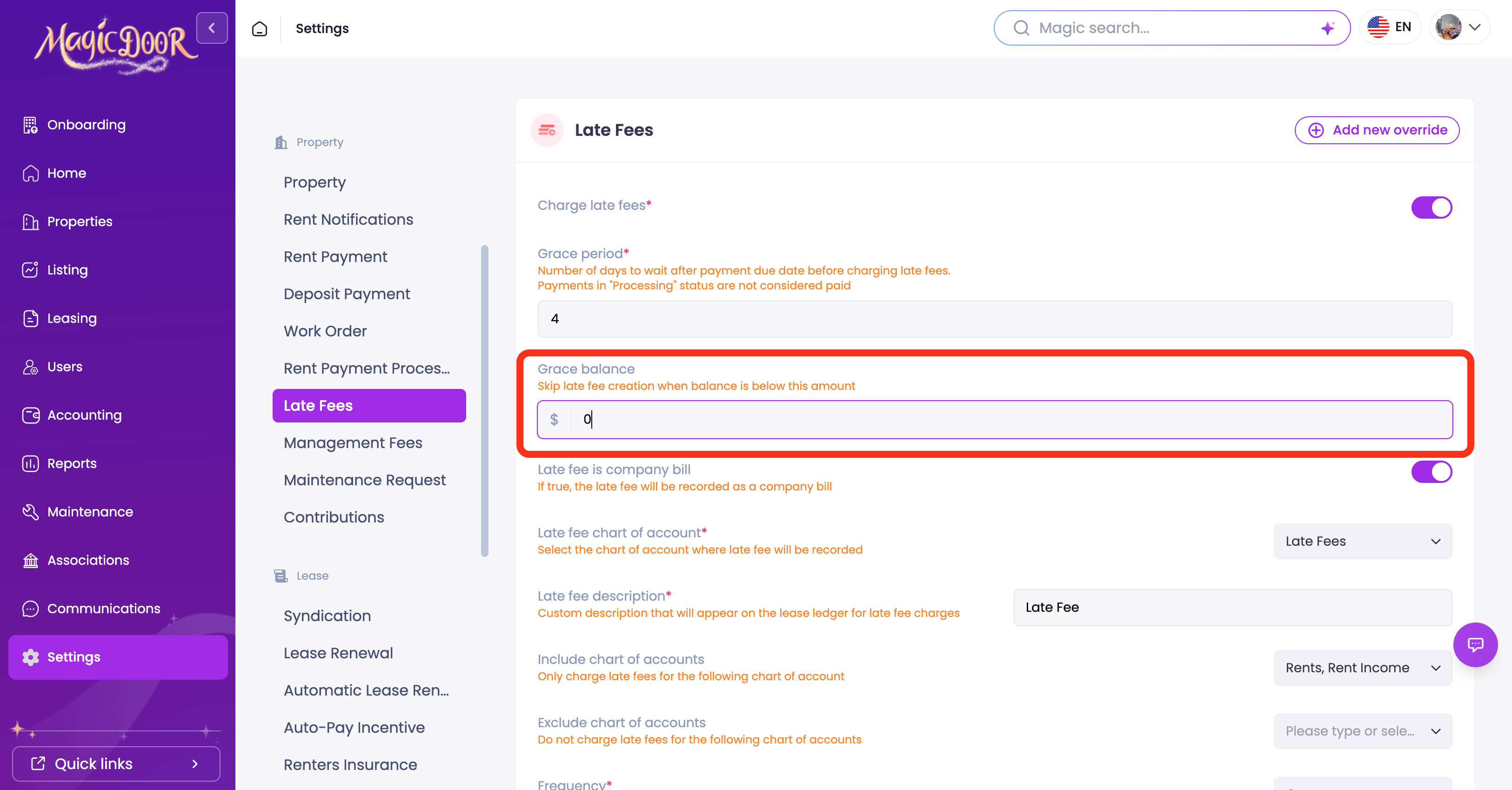
- Locate the Grace Balance option.
Step 3: Set Your Grace Balance Threshold
Enter the minimum unpaid balance amount below which late fees will not be applied.
- Type your desired threshold into the Grace Balance field.
- For example, entering $10.00 means a tenant owing $9.99 will not be charged a late fee, only balances above $10.00 will trigger one.
That’s it!
Step 4: Add a Lease-Specific Override (Optional)
If you want to apply a different grace balance to a specific lease without changing your general settings, use the override option.
- Click Add New Override in the top-right corner.
- Choose the setting you want to override.
- Under the Lease Override tab, select the lease you want to adjust and enter the grace balance value for that lease.
- Click Save.
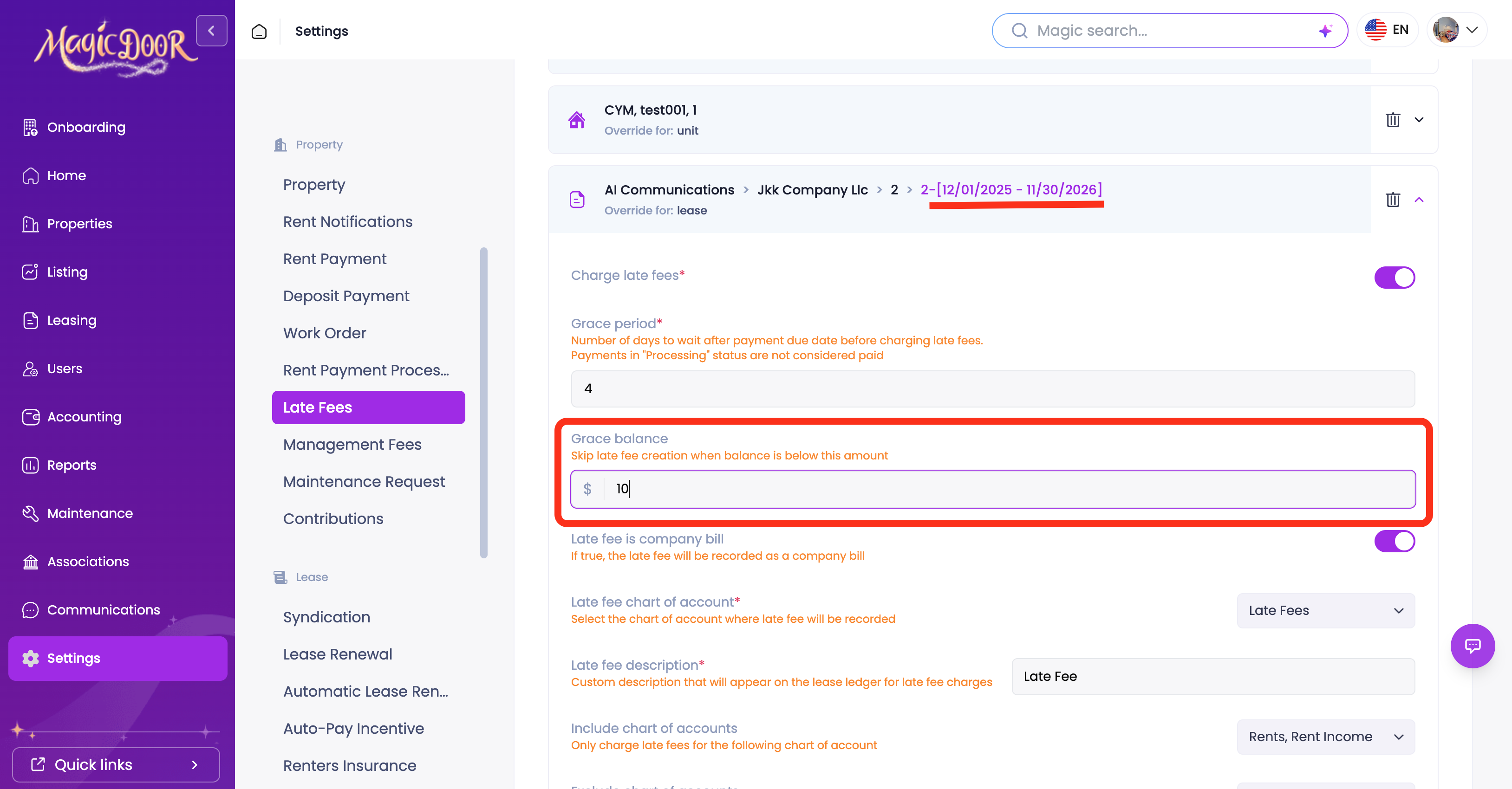
This allows you to keep your general settings intact while applying a custom threshold to individual leases where needed.
Need Help With Grace Balance?
If you have questions about grace balance or late fee settings, our support team is here to help.
👉 Contact us anytime at support@magicdoor.com
📞 Call us at: (888) 887 - 8780 (9:00 AM – 5:00 PM PST)