How to Separate Ledgers for Multiple Tenants in the Same Unit?
Get expert property management insights, straight to your inbox.
Managing multiple tenants in the same unit can be tricky, but MagicDoor makes it simple.
You can assign individual leases and ledgers to each tenant sharing a unit, allowing you to track rent, payments, and balances separately for each one.
Steps to Set Up Separate Ledgers
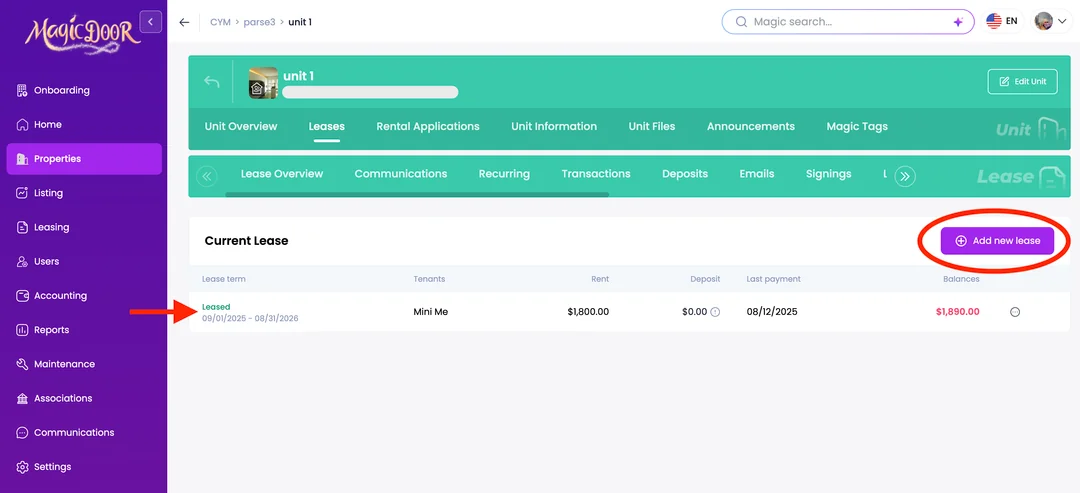
Go to Property → Units → Leases (upper tab). As you can see, Unit 1 currently has one tenant. If you want to add multiple tenants to the same unit, click “Add New Lease” to set up multiple leases for that unit.
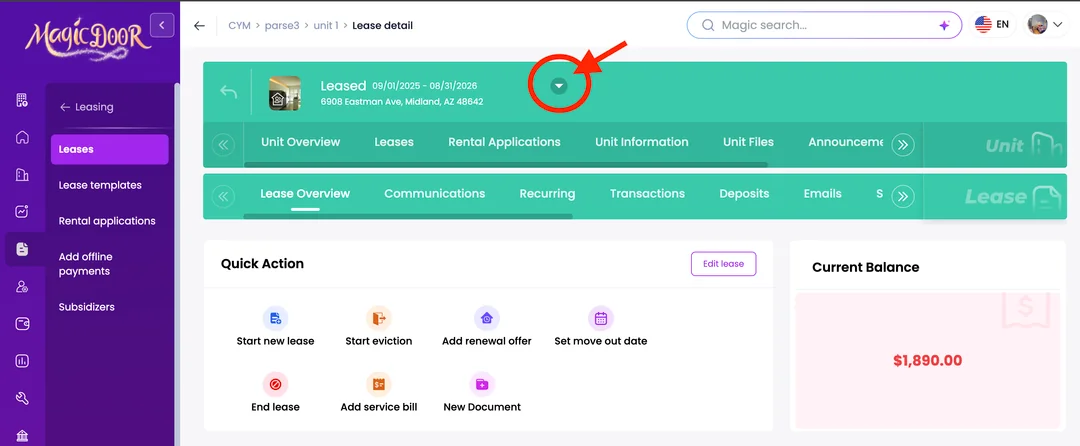
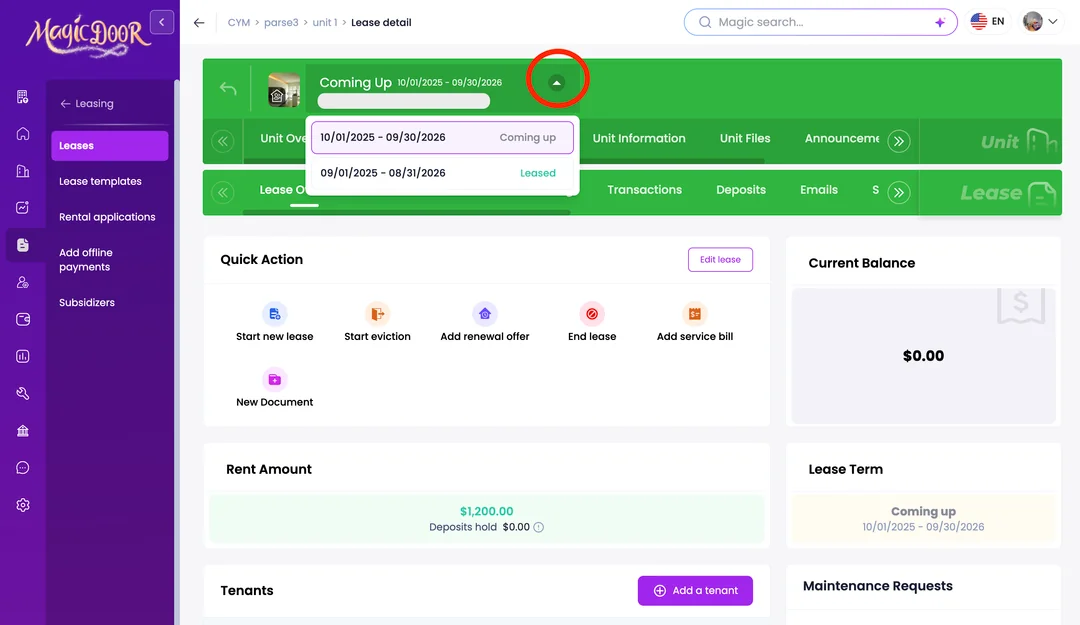
If you want to see the other leases for the same unit, click the chevron, and you will be able to view multiple leases.
Need More Help?
If you have questions about managing multiple tenants or ledgers, our support team is always here to assist.
👉 Contact us anytime at support@magicdoor.com