How to Transition to Property Management Software
Get expert property management insights, straight to your inbox.
Many property managers begin with spreadsheets, email threads, and manual ledgers. That setup works for a small portfolio, but it becomes difficult to maintain as units, tenants, and financial records grow.
Lease tracking becomes harder. Rent payments require manual reconciliation. Maintenance requests arrive through calls, texts, and emails with no centralized record.
Over time, day-to-day property management becomes harder to control.
Property management software replaces those disconnected processes with one system for leases, payments, communication, and reporting. The challenge is not deciding to adopt software. The challenge is transitioning without disrupting operations.
A structured transition process helps property managers move records, train staff, and introduce new workflows while keeping rent collection, tenant communication, and maintenance coordination stable.
This guide explains how to transition to property management software step by step, including how to evaluate platforms, prepare data, train teams, and avoid the common mistakes that slow adoption.
Signs It’s Time to Transition From Manual Property Management Systems
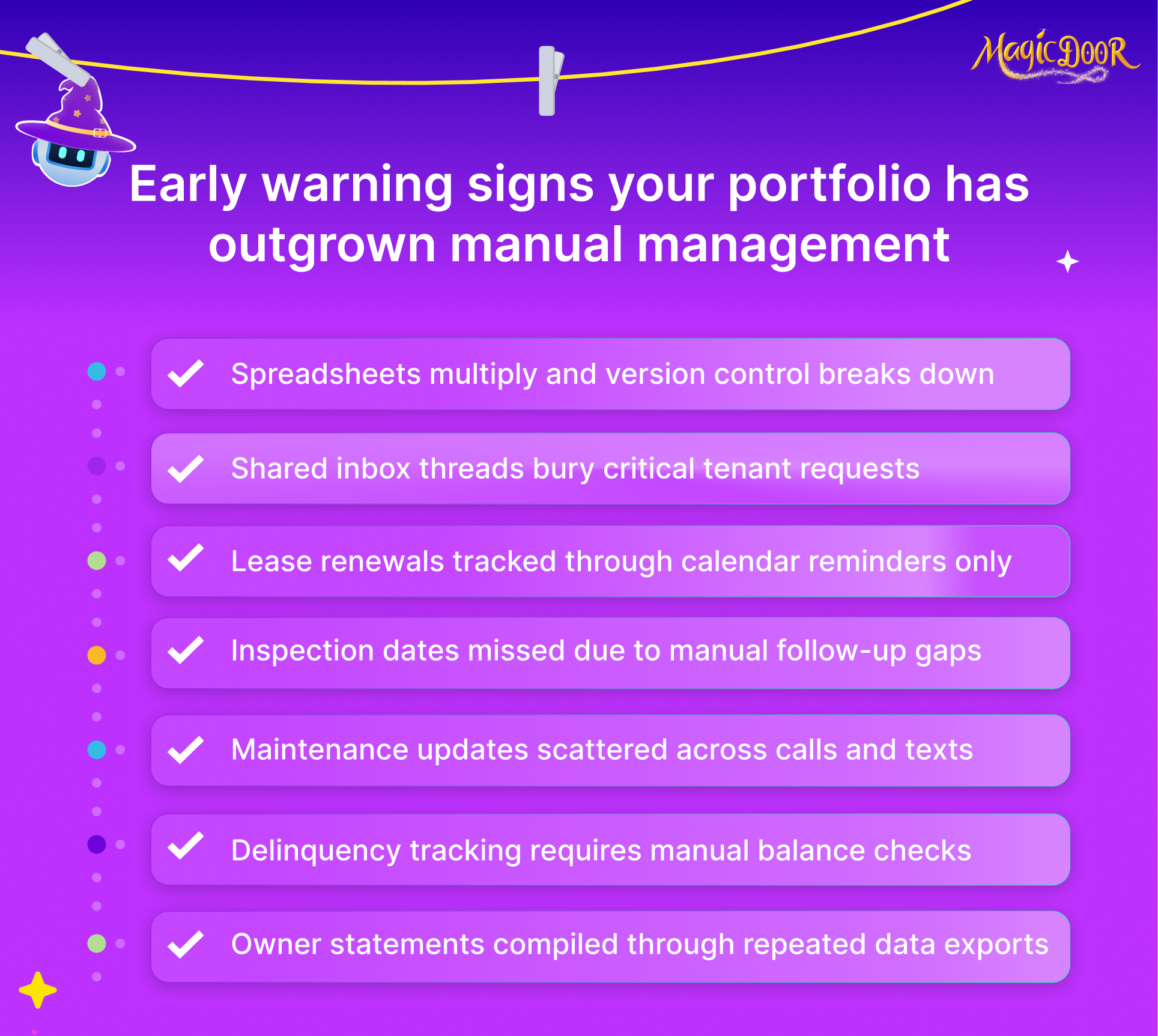
When Your Portfolio Outgrows Spreadsheets & Shared Inboxes
Spreadsheets fail quietly before they fail visibly.
A portfolio of 10 units may survive manual tracking. At 40 or 100 units, manual data entry starts creating financial drift. Rent payments get logged twice. Late fees get missed. A formula breaks, and no one notices until the month-end.
Shared inboxes add another risk layer.
Vendor invoices mix with tenant communication. Lease agreements sit in folders without audit logs. Maintenance requests depend on who saw the email first. There is no structured record of who approved what.
For property managers handling multiple properties, this creates three measurable issues:
- Slower month-end rent reconciliation
- Inconsistent lease management records
- Delayed owner reporting
Manual systems also make scaling expensive. Growth requires more admin support because processes are not automated.
Rental property management software consolidates lease agreements, rent collection, maintenance tracking, tenant screening, and accounting tools into one platform. Every activity is tied to a unit, owner, and tenant record. Changes are logged automatically. Permissions are controlled.
Real estate investors expect detailed financial reports. Pulling them manually increases the risk of errors and audit risk.
If reporting accuracy depends on manual exports and spreadsheet consolidation, the portfolio has already outgrown its system.
When Lease Renewals, Inspections, or Notices Start Slipping
Missed lease dates create revenue gaps. Missed inspections create liability.
Lease management handled through calendar reminders and static spreadsheets lacks automatic tracking. Renewal windows pass. Notice periods shrink. Lease agreements sit unsigned longer than expected.
Property managers then run to recover timelines.
Lease management software introduces structured triggers:
- Automated renewal reminders
- Electronic lease signing
- Lease expiration dashboards
- Centralized document storage
Renewal cycles become predictable.
Inspection tracking exposes a similar weakness in manual systems. Paper-based inspection logs or disconnected documents make it difficult to track compliance, safety checks, and recurring maintenance requirements.
Maintenance management tools convert inspections into scheduled work orders. Each task attaches to the unit record. Historical logs remain searchable. That documentation matters during disputes or insurance reviews.
Notice delivery improves when handled inside the tenant portal software. Timestamped communication reduces ambiguity. All notices remain attached to the tenant profile.
Landlords managing larger rental properties without automated lease tracking risk creating vacancy gaps and exposing themselves to compliance risks.
Manual management works until volume increases. After that, timing errors become costly.
When Maintenance Requests Get Lost Between Calls, Texts, & Emails
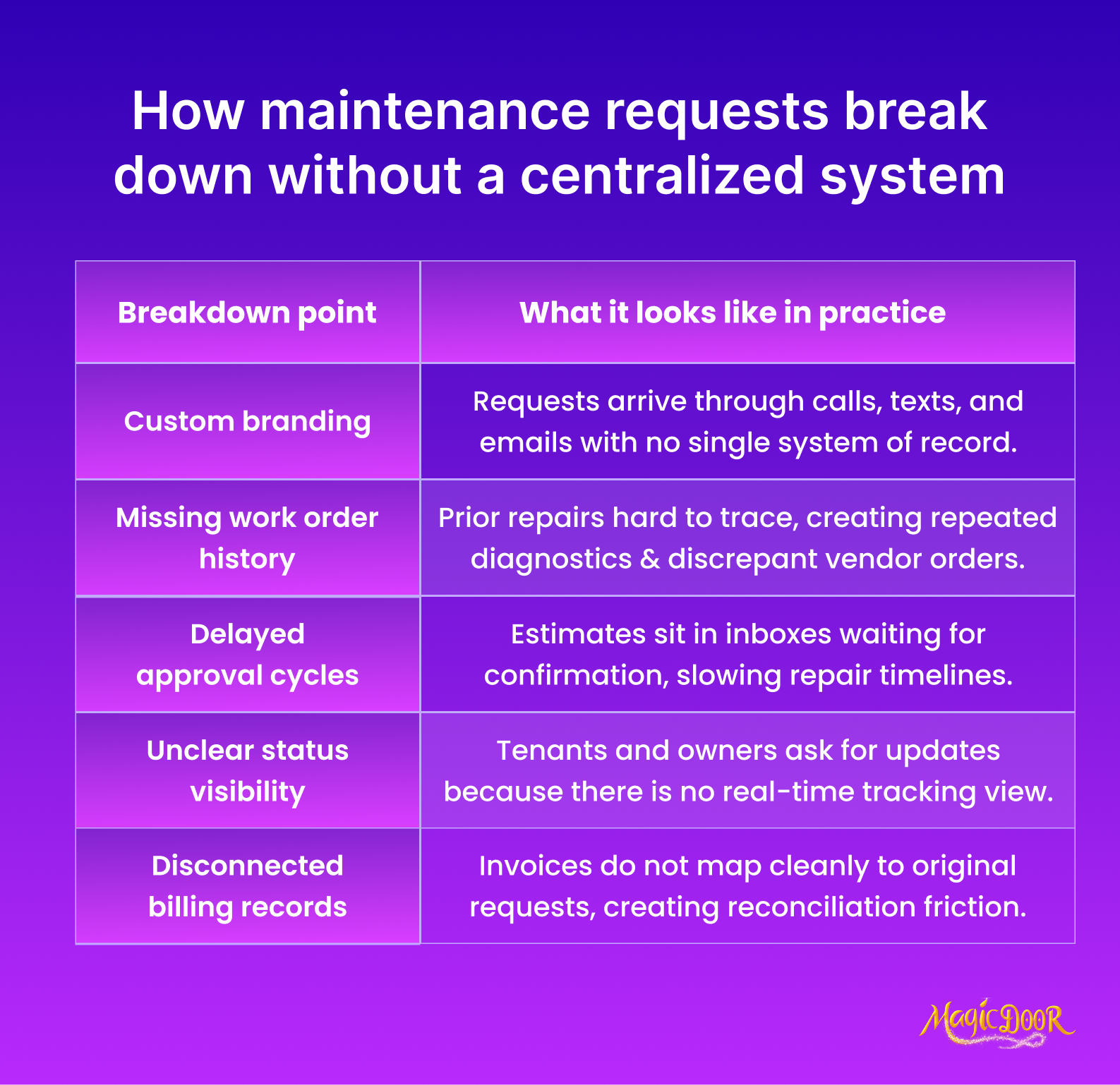
Maintenance breakdown is usually a communication failure.
Tenants call the office. Someone writes it down. A vendor gets a partial message. No centralized log exists. Follow-ups depend on memory.
Managing maintenance requests through disconnected channels increases response time and dispute risk. Without maintenance tracking software:
- No clear work order history
- No documented response time
- No cost tracking per repair
- No recurring issue visibility
Work order software formalizes the workflow. Tenants submit maintenance requests through tenant portals. Each request creates a structured work order. Vendors receive documented instructions. Status updates sync in real time.
Maintenance tracking software also connects expenses to financial management. Repair costs attach directly to units. Repeated issues surface through reporting tools.
Property management companies handling multiple properties benefit from visibility into recurring repairs. Patterns become visible: HVAC failures, plumbing leaks, appliance replacements.
That insight informs budgeting and rental property maintenance checklists.
Documentation also reduces legal exposure. If a tenant disputes the response time, the system log shows when the issue was submitted, assigned, and resolved.
Manual logs cannot reliably support that level of accountability.
When Rent, Delinquencies, & Owner Reporting Take Too Long to Pull
Rent collection conflict directly affects cash flow.
Manual rent logging requires checking deposits, updating spreadsheets, calculating late fees, and reconciling discrepancies. For 50+ units, that process becomes time-intensive and error-prone.
Online rent collection reduces manual touchpoints.
Tenants pay digitally. Automated rent reminders reduce delinquency rates. Payment histories update in real time. Late fees are calculated based on lease terms.
Rent reconciliation tools automatically match deposits, reducing accounting errors.
Owner reporting then shifts from manual compilation to live reporting. Owner portal software pulls data directly from transaction records. Property owners can view rental income, expenses, and property performance without waiting for emailed statements.
Detailed financial reports are exported directly into real estate accounting software for landlords. AI bookkeeping tools categorize transactions and flag anomalies.
For property managers preparing for tax season, centralized financial management reduces cleanup work.
If month-end reporting takes several hours of cross-checking spreadsheets, the system is limiting scalability.
Pulling a delinquency report should take seconds. If it requires manual review of every tenant ledger, transition timing has already arrived.
What to Evaluate Before Switching to Property Management Software
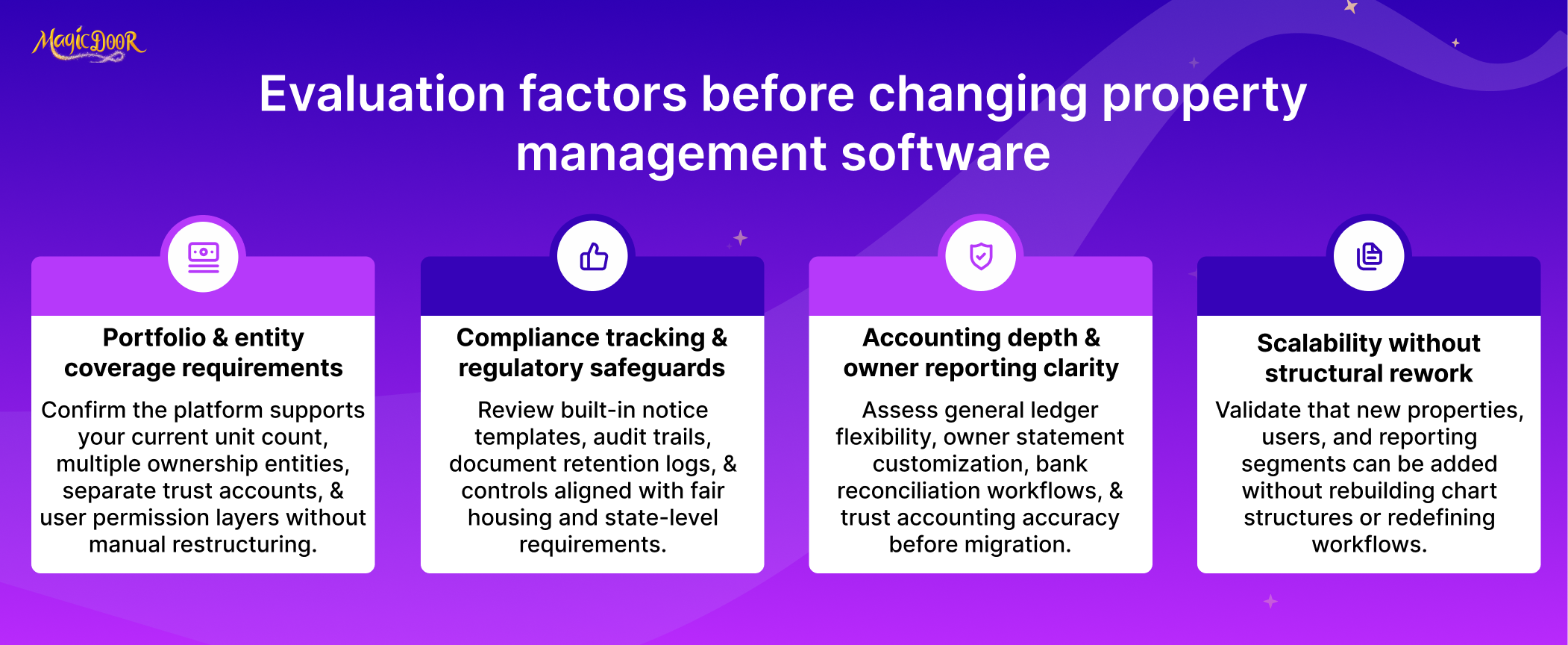
Switching platforms changes how property managers run accounting, leasing, and maintenance coordination. Selecting the right property management software requires evaluating capacity, regulatory coverage, accounting depth, and support for long-term portfolio growth.
Many systems look similar during a demo. Differences appear once you begin managing properties daily. Lease records, rent payments, work orders, and financial reports must connect in one platform without forcing teams into disconnected tools.
Property management companies should evaluate the following areas before committing to a platform.
The Number of Units & Entities The Software Must Support
Capacity planning should start with portfolio structure, not current unit count.
Some property managers oversee 30 rental properties owned by one investor. Others manage hundreds of units spread across separate LLCs. Each ownership entity requires separate financial records, reporting permissions, and tax documentation.
The right property management software must support:
- Multiple properties under separate ownership entities
- Individual trust accounts or operating accounts
- Property-level and portfolio-level reporting
- Distinct access levels for staff and property owners
Systems designed for small landlords may work for fewer than 20 units but struggle when portfolios grow or when ownership structures multiply. Property management companies handling larger portfolios need scalable tenant management software for landlords that keeps data organized per entity.
Unit capacity also affects leasing workflows. Rental applications, tenant screening tools, lease management software, and electronic lease signing must remain manageable even when dozens of applications arrive for multiple units at once.
Property managers dealing with mixed property types, single-family homes, multifamily buildings, or other residential units, should confirm the platform supports those types of residential properties without requiring separate systems.
A system that cannot support entity separation or portfolio-level reporting quickly becomes a bottleneck as the property portfolio grows.
Built-In Compliance Tools for Fair Housing & State Regulations
Regulatory exposure increases with every additional unit.
Property managers must follow Fair Housing rules, state security deposit laws, notice timelines, and local inspection requirements. Manual recordkeeping makes it difficult to prove compliance during disputes or audits.
Compliance tools within rental property management software automatically create documentation.
Tenant screening tools log application decisions and criteria. Lease management software stores signed lease agreements and amendment history. Communication records inside the tenant portal software show when notices were delivered.
Maintenance tracking software also supports compliance. Inspection reports, maintenance tracking logs, and completed work orders create a verifiable maintenance history for each unit.
That record matters when dealing with safety complaints or habitability disputes.
Compliance coverage also connects to leasing workflows. Rental applications, tenant communication, and electronic lease signing should remain attached to the tenant profile and unit record.
For property management companies handling many rental properties, built-in compliance documentation reduces legal exposure and administrative work. Without system-level tracking, property managers must manually collect emails, documents, and service records when disputes come up.
General Ledger, Owner Statements, & Trust Accounting Capabilities
Accounting determines whether property management software can support professional operations.
Many entry-level tools provide rent collection but lack full financial management. Property managers then rely on separate bookkeeping software for property managers and landlords, creating duplicate data entry and reconciliation work.
A complete accounting structure should include:
| Accounting Component | Why It Matters |
|---|---|
| General ledger | Tracks rental income, expenses, and account balances |
| Owner statement software | Generates monthly statements for property owners |
| Trust accounting controls | Separates owner funds from company operating funds |
| Rent reconciliation tools | Matches rent payments with bank deposits |
| Detailed financial reports | Supports tax preparation and performance analysis |
Real estate accounting software for landlords must support property-level reporting as well as portfolio summaries for real estate professionals managing multiple investments.
Owner portal software should also allow property owners to access statements without requesting them from property managers.
AI bookkeeping tools increasingly support transaction categorization and anomaly detection. Automation reduces manual review during month-end closing and tax season preparation.
Systems without a strong accounting infrastructure require additional software, which complicates reporting and increases reconciliation workload.
Whether the Platform Can Support Multi-Property Growth Without Reconfiguration
Software selection should account for future portfolio growth.
Some platforms function adequately for smaller portfolios but require major restructuring when unit counts increase. Property managers may need to migrate data, rebuild lease templates, or reconfigure accounting structures.
That disruption affects day-to-day operations.
The right property management software should handle expansion without forcing structural changes. Adding new properties, ownership entities, or management staff should require minimal setup.
Scalable systems support:
- Adding multiple properties without rebuilding workflows
- Expanding tenant portal software access as the tenant base grows
- Managing maintenance requests through centralized work order software
- Tracking maintenance across an entire portfolio using maintenance tracking tools
Property managers also benefit from integrated automation.
Property management automation can schedule automated rent reminders, generate financial reports, and track maintenance activity across the portfolio. AI tools that replace manual property management tasks further reduce administrative workload as portfolios expand.
Growth also increases transaction volume. Systems that support faster payments, such as the ability to send same-day ACH payments with MagicDoor, help property managers distribute funds to vendors and property owners quickly.
Platforms built as all-in-one software reduce reliance on multiple systems. Leasing, rent collection, maintenance management, and financial reporting are all managed in one platform, keeping operations consistent as the portfolio expands.
For property management companies planning long-term growth, scalability should be evaluated before migration begins.
Software limitations become far more difficult to address after tenant records, lease agreements, and financial data are already stored inside the system.
How to Compare Property Management Software Before Switching
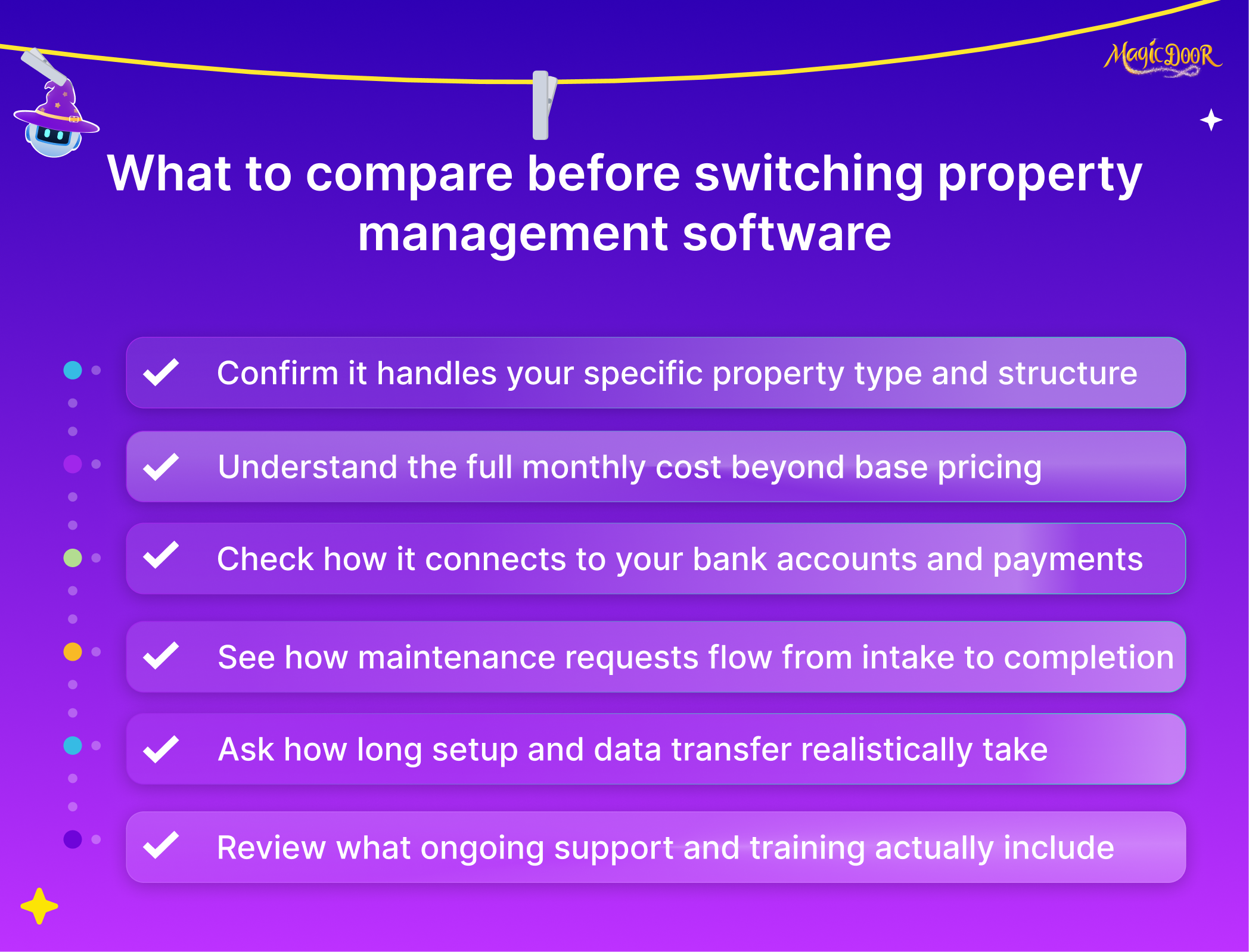
Comparing platforms requires more than feature checklists. Property managers need to evaluate whether the software supports their portfolio structure, financial workflows, and operational demands.
Different platforms prioritize different capabilities. Some focus on leasing and tenant portals. Others concentrate on accounting or maintenance management. Selecting property management software means matching system capabilities with the realities of managing rental properties.
Each area below should be reviewed carefully before switching systems.
Property Management Features Required for Your Portfolio Type
Software selection should begin with portfolio structure and property type.
Property managers handling single-family rental properties face different demands than firms operating large multifamily buildings. Leasing volume, tenant turnover, and maintenance coordination vary widely depending on the portfolio.
Essential features should match the responsibilities tied to the properties being managed.
For example, smaller portfolios may prioritize:
- Lease management tools to manage leases and track expiration dates
- Tenant screening and rental application processing
- Online tools that simplify rent collection
- Owner statement software for monthly reporting
Property management software for small landlords usually focuses on straightforward rental management tasks such as collecting rent payments, sending reminders, and managing tenant communication.
Larger portfolios require deeper functionality.
Property management companies managing hundreds of rental properties typically rely on:
- Maintenance tracking software and work order systems
- Owner portals with detailed financial reporting
- Multi-property dashboards showing portfolio performance
- Automated workflows supporting day-to-day operations
Maintenance coordination also depends on portfolio size. Tracking common rental house repairs to consider, scheduling inspections, and managing vendor work orders becomes more structured once the unit count increases.
Property managers responsible for varied property types, such as single-family homes, duplexes, or multifamily units, should confirm that the system supports those property types without requiring separate platforms.
Selecting features aligned with the portfolio prevents unnecessary complexity and keeps property management easier as operations expand.
Monthly Subscription Fees, Per-Unit Pricing, & Add-On Costs
Pricing models vary widely across property management software providers.
Some platforms charge a flat monthly subscription. Others rely on per-unit pricing that increases as the property portfolio grows. Many platforms also charge for add-on services such as payment processing, advanced reporting, or tenant screening tools.
Property managers comparing platforms should examine three pricing layers.
| Cost Category | What To Review |
|---|---|
| Base subscription | Monthly platform fee or minimum unit pricing |
| Per-unit pricing | Cost per unit as the portfolio expands |
| Add-on services | Fees for payment processing, tenant screening, or reporting |
Understanding these layers helps property managers conduct a realistic ROI analysis before switching systems.
Payment processing costs also deserve attention. Online rent collection tools may charge transaction fees for ACH transfers or credit card payments. Property managers should evaluate how the system handles rent payments and how tenants submit payments digitally.
Tools that simplify rent collection can reduce late payments and administrative workload, though processing costs still affect overall pricing.
Some platforms advertise free rental management software for small portfolios, but charge once the unit count increases or advanced features are required.
Evaluating pricing structures early prevents unexpected costs after migration.
Integrations With Accounting, Payment Processing, & Maintenance Systems
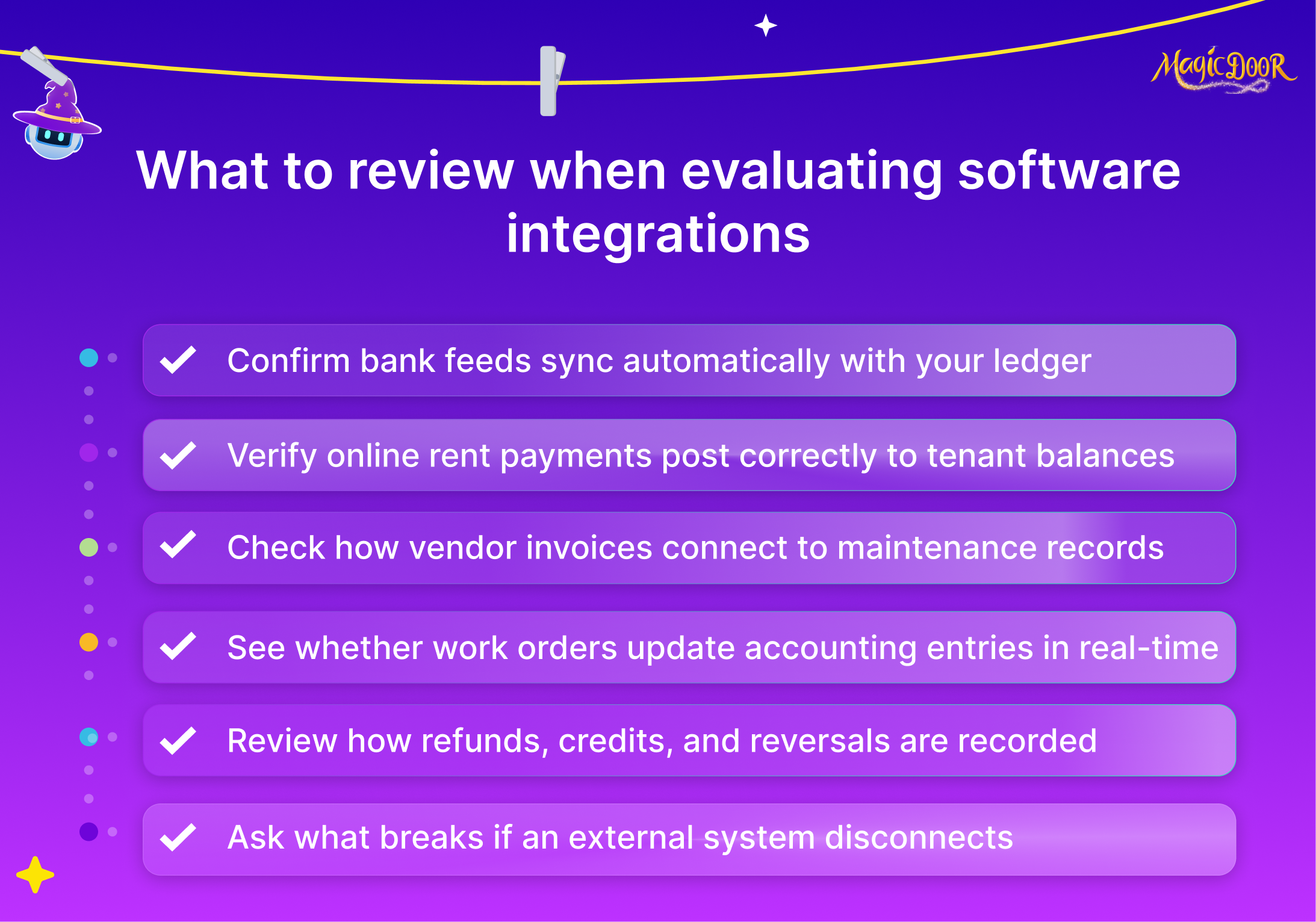
Property management software rarely operates in isolation.
Most property managers already rely on accounting platforms, payment processing systems, or vendor coordination tools. The new system should integrate with those existing systems rather than replace them entirely.
Accounting integrations are usually the most important.
Property managers preparing financial records and planning how to prepare for tax season as a landlord rely on consistent financial data. Integration with accounting software or built-in accounting modules helps maintain accurate transaction records.
Payment integrations also affect rent collection.
Systems supporting digital rent payments should allow tenants to submit payments securely and provide automated tracking for incoming transactions. Some platforms even support faster vendor payouts, such as same-day ACH payments.
Maintenance management integrations also matter.
Maintenance tracking software and work order systems must connect directly with tenant portals so tenants can report issues, vendors receive assignments, and repair costs link to the correct property record.
Automation tools are increasingly entering this space as well. Agentic AI improves property management by assisting with tasks such as transaction categorization, vendor coordination, or document organization.
Property managers should evaluate how AI tools that replace manual property management tasks interact with the platform’s core systems.
Strong integrations reduce duplicate data entry and maintain consistent records across financial management, maintenance, and tenant communication.
Onboarding Timeline, Data Migration Assistance, & Ongoing Support
Switching platforms involves more than activating a new account.
Transitioning to property management software requires structured data migration, staff training, and verification of financial records. Without preparation, the process can interrupt daily rental management operations.
Most software providers recommend a transition period of roughly 60–90 days.
That timeframe allows property managers to complete several key steps:
- Data preparation: Existing tenant records, lease agreements, and financial balances must be reviewed. Data cleaning includes correcting lease end dates and removing outdated lease records.
- Migration planning: Property managers typically choose a cutoff date at the end of a month to move balances and lease data into the new system.
- Data verification: After migration, financial balances, lease dates, and tenant information should match historical records.
- Team training: Training sessions should focus on real workflows such as managing maintenance requests, processing rent payments, and generating owner statements.
Involving staff during trial phases helps confirm that daily workflows align with the platform’s design.
Support quality also matters after the migration phase. Property managers should evaluate whether vendors provide documentation, onboarding specialists, or ongoing technical assistance.
Security and reliability should also be considered. Platforms designed with strong data protection standards help protect tenant information and financial records. For example, systems like MagicDoor keep your information safe through structured access controls and secure data storage.
A structured onboarding process reduces disruption and allows property managers to transition their portfolio with confidence.
Steps to Transition to Property Management Software
Switching systems requires preparation before the first record is moved to the new platform. Property managers handling rental units, tenants, leases, and financial records need a structured migration process that protects data accuracy and daily operations.
A typical transition takes 60–90 days. That window allows teams to review existing records, prepare financial data, configure workflows, and train staff before the system becomes the primary operating environment.
The following steps outline a practical transition path.
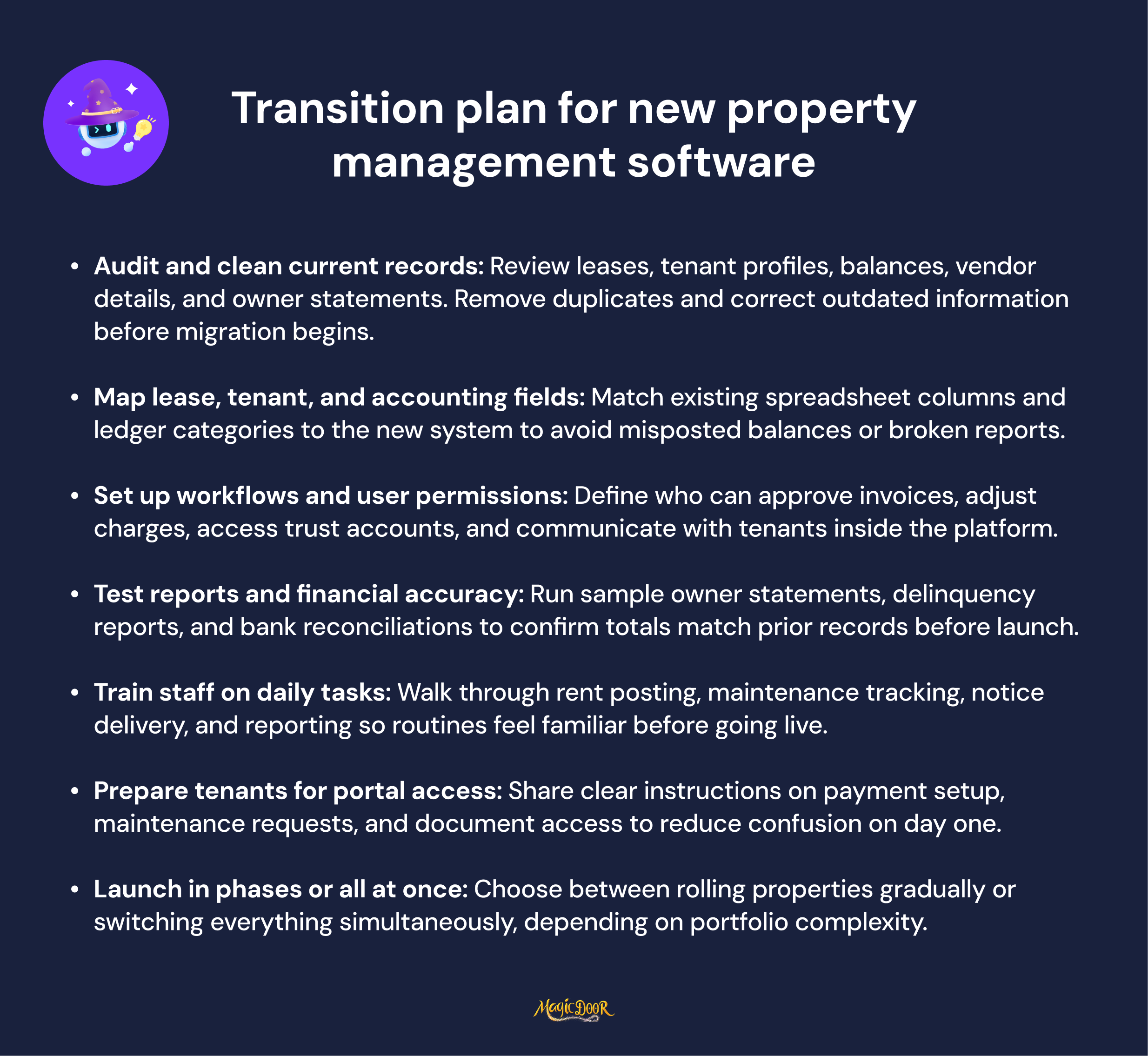
Step 1: Audit and Clean Existing Data
Data quality determines whether the new system starts with accurate records or inherits problems from older tools.
Begin by reviewing all existing tenant, lease, and financial records. Spreadsheets and manual records frequently contain outdated leases, duplicate tenant entries, or inconsistent account labels. Cleaning those records before migration prevents confusion later.
Focus on these areas first:
- Remove duplicate tenant profiles
- Correct lease start and end dates
- Standardize the chart of accounts used for financial records
- Verify property ownership information and contact details
Cleaning records also helps clarify rental house repair responsibilities for landlords. Lease terms, maintenance obligations, and tenant communication history should be attached to the correct property and tenant profile.
Creating backups of both digital and physical records is recommended before starting the migration. Secure backups protect lease agreements, financial ledgers, and tenant documentation during the transition period.
Accurate starting data reduces reconciliation work once the platform goes live.
Step 2: Map Lease, Tenant, and Financial Data for Migration
After the records are cleaned, the next task is to map data from the old system into the structure used by the new platform.
Most property management platforms import records through CSV or spreadsheet uploads. Fields must align with the system’s database structure before migration begins.
Property managers typically prepare the following datasets:
| Data Category | Examples of Information |
|---|---|
| Tenant records | Contact information, lease dates, and rent amounts |
| Lease data | Security deposits, renewal terms, and lease agreements |
| Financial balances | Outstanding rent, deposits, and owner distributions |
| Property records | Unit details, ownership information |
Financial mapping deserves careful attention. Landlords frequently struggle to maintain accurate records in manual systems, so the transition stage is an opportunity to correct inconsistencies.
Clear financial data supports tasks such as preparing owner statements, evaluating rental income, and understanding what to look for in owner statement software for property managers.
Once datasets are mapped correctly, automated import tools can transfer records efficiently without requiring manual entry.
Step 3: Configure Workflows and Permissions
Configuration determines how the platform handles day-to-day operations.
Before activating the system for live use, property managers should configure:
- Staff permission levels
- Leasing and tenant management workflows
- Maintenance request routing
- Financial reporting access for property owners
Access controls are particularly important for larger portfolios. Leasing agents, maintenance coordinators, accountants, and property owners should view only the data relevant to their roles.
Security settings also protect tenant information and financial records. Platforms designed with structured permissions help maintain secure data storage. Systems built with secure architecture, such as environments where MagicDoor keeps your information safe, protect sensitive tenant and financial data through controlled access.
Workflow configuration should also reflect real operational tasks. Teams should configure processes for how to collect rent payments from tenants, how maintenance requests are assigned, and how owner statements are generated.
Clear workflows prevent confusion once the platform begins handling daily operations.
Step 4: Test System Accuracy Before Go-Live
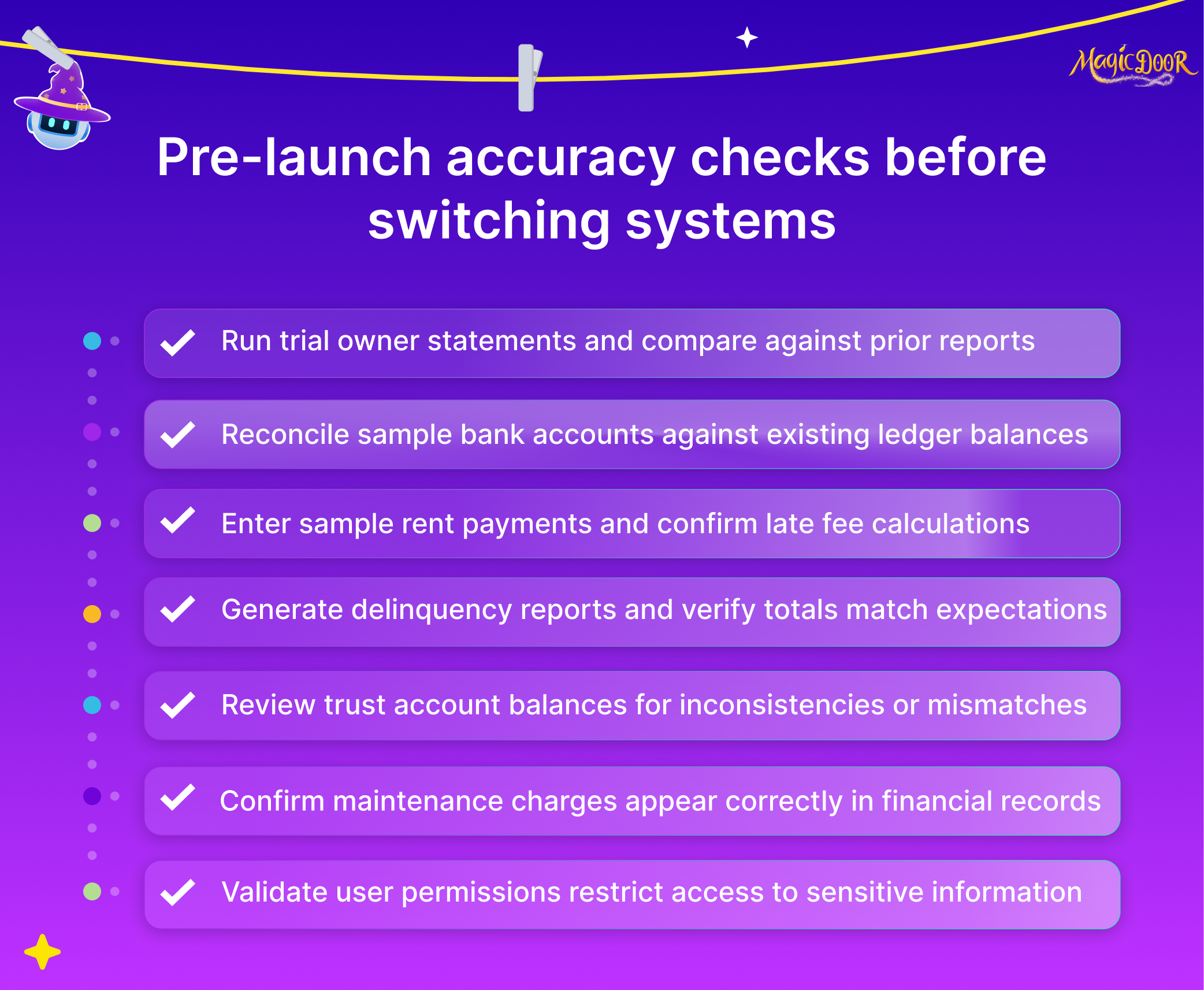
Testing verifies that the migrated data matches historical records.
Before activating the system fully, property managers should review key data points:
- Tenant balances and outstanding rent
- Lease dates and rent amounts
- Security deposit records
- Property ownership details
Some companies temporarily run dual systems, maintaining the previous system while verifying records on the new platform. This approach allows teams to compare rent balances, lease records, and financial totals side by side.
Accuracy testing should also include operational workflows. Staff should test how to collect rent payments from tenants, submit maintenance requests, and generate owner reports.
Testing confirms that the system supports practical tasks involved in how to manage a rental property effectively.
A verified system reduces the risk of financial discrepancies once real transactions begin.
Step 5: Train Staff & Internal Teams
Training should focus on daily tasks rather than product features.
Property managers, leasing agents, maintenance coordinators, and accounting staff all interact with the platform differently. Each group needs training tied directly to their workflow responsibilities.
Examples include:
- Leasing teams managing rental listings and applications
- Accounting staff generating owner statements and reviewing balances
- Maintenance coordinators are assigning repair work orders
- Managers reviewing property performance and reports
Training sessions should include realistic scenarios such as how to list a rental property, how tenants submit maintenance requests, and how rent payments appear in financial reports.
Some organizations also evaluate automation tools during training. Discussions about AI assistants vs. virtual assistants for property managers can help teams determine which tasks automation should handle and which still require staff oversight.
Well-prepared staff adopt new systems faster and reduce operational confusion.
Step 6: Educate Tenants on Portal Access
Tenant adoption determines whether the new system improves communication and payment tracking.
Tenants should receive clear instructions before the platform becomes active. Announcements explaining the change should highlight benefits such as online rent payments, digital communication, and the ability to submit maintenance requests.
Tenant onboarding typically includes:
- Portal login instructions
- Payment setup guidance
- Instructions for submitting maintenance requests
- Contact information for support questions
Communication should begin about one month before activation. Early notice allows tenants to prepare for new processes such as digital payments.
Tenant portals simplify rent payment tracking and communication between tenants and property managers. Clear onboarding reduces confusion during the first billing cycle.
Step 7: Execute a Phased or Full Go-Live
The final stage activates the system as the primary platform.
Property managers typically choose one of two rollout methods:
Phased rollout
- Activate a small group of properties first
- Monitor workflows and correct issues
- Expand usage gradually across the portfolio
Full rollout
- Migrate all properties at once
- Activate the platform for all tenants and staff on the same date
A phased rollout reduces disruption for larger property portfolios. Teams gain experience managing the system before applying it to every property.
Regardless of the rollout method, managers should monitor early performance indicators. Reviewing reports after several months helps confirm that the platform supports operational goals and simplifies daily management tasks.
Transitioning to property management software requires planning, accurate data preparation, and clear training. When executed methodically, the new system becomes the operational center for leasing, financial reporting, maintenance coordination, and tenant communication.
Common Mistakes When Transitioning to Property Management Software
Software migration problems rarely come from the platform itself. Most issues appear during preparation and rollout. Incomplete records, rushed training, and missing integrations create confusion once the system begins handling real tenant activity.
Property managers switching from manual processes should watch for the following mistakes.
Importing Incomplete Lease, Tenant, or Accounting Data
Data quality determines whether the new system starts with reliable records.
Many property managers attempt migration without reviewing historical data first. Old leases remain active in the database. Tenant profiles appear multiple times under slightly different names. Accounting ledgers contain inconsistent account labels.
Those inconsistencies carry directly into the new system.
Incomplete financial records create the most serious problems. Incorrect balances affect owner reporting and tenant ledgers. Missing security deposits distort accounting statements. Lease dates that were never corrected create incorrect renewal reminders.
Cleaning records before migration prevents these issues. Property managers should verify:
- Lease start and end dates
- Tenant contact information
- Outstanding rent balances
- Security deposit amounts
- Property ownership details
Automated migration tools help move data through spreadsheet imports, but they cannot correct inaccurate records.
Accurate tenant and financial data also support tenant communication. Clear records help property managers apply practical tenant management tips, such as tracking tenant requests, monitoring lease terms, and documenting communication history.
Migration should only begin after records are reviewed and standardized.
Failing to Assign Time for Staff Training & Workflow Adjustment
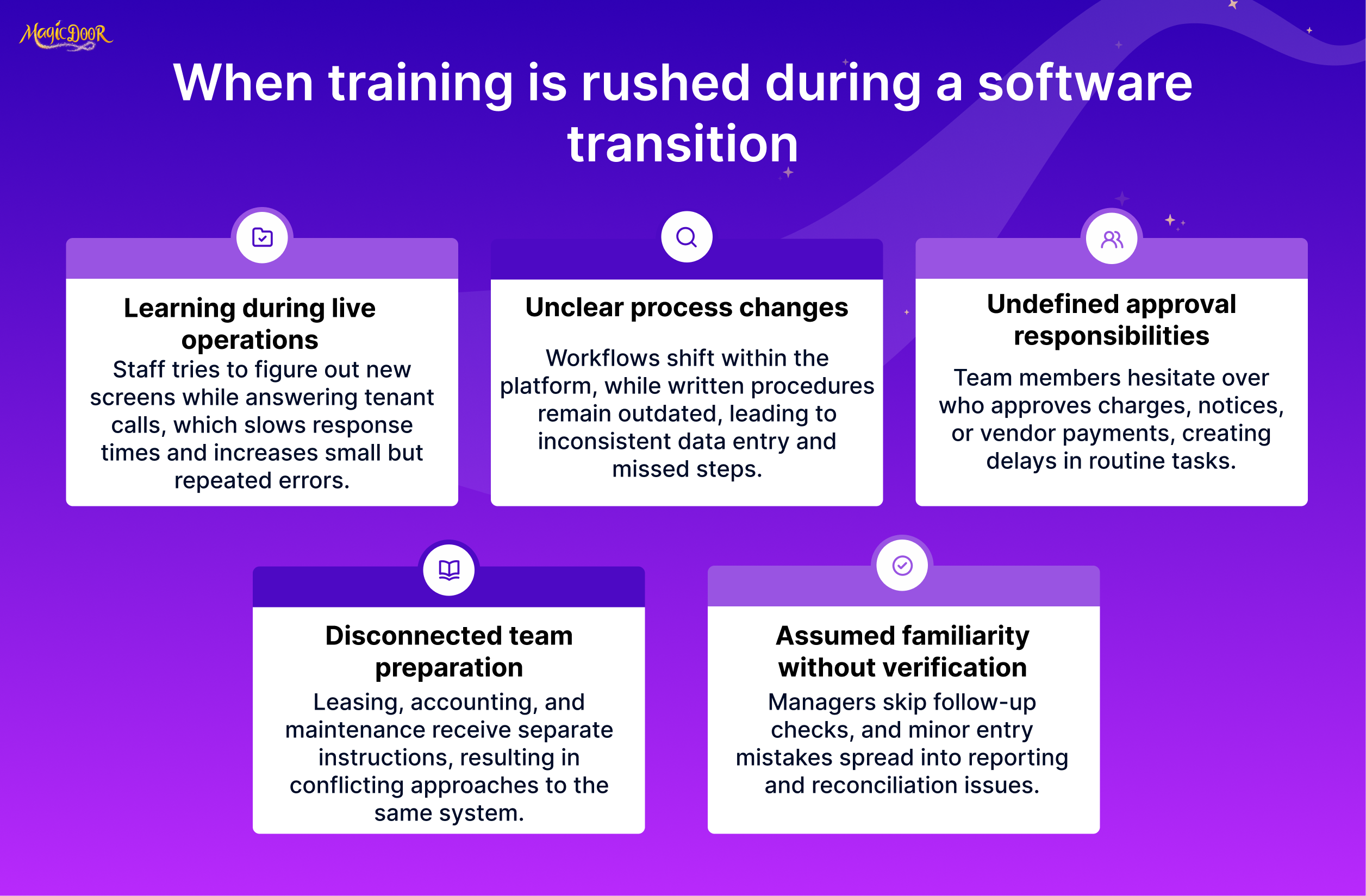
Software adoption depends on how quickly teams adapt to new workflows.
Many property managers focus heavily on platform selection but allocate little time for internal training. Staff members then attempt to learn the system while processing leases, responding to tenants, and managing maintenance requests.
That approach creates confusion during the first weeks of usage.
Training should focus on daily tasks rather than feature lists. Leasing staff need to understand how tenant records move through the system. Accounting teams need to verify rent payments and financial reports. Maintenance coordinators need to know how work orders are assigned and tracked.
Training sessions should include realistic activities such as:
- Recording new leases
- Reviewing tenant balances
- Assigning repair requests
- Generating owner reports
Staff participation during the evaluation phase also helps. When team members test the system before adoption, the final workflow configuration aligns more closely with their daily responsibilities.
Organizations that treat training as part of the migration plan experience smoother adoption and fewer operational mistakes after launch.
Overlooking Payment Processing, Accounting, or Maintenance Integrations
Property management software rarely operates alone.
Many property managers rely on external systems for payment processing, accounting, or maintenance coordination. If those connections are not configured before launch, teams may need to maintain separate systems temporarily.
Payment integrations require particular attention. Tenants must be able to submit rent payments through the platform, and the accounting system must accurately record those transactions.
Accounting integration is equally important. Property managers preparing monthly financial reports or year-end records depend on consistent financial data between systems.
Maintenance management also requires integration planning. Tenant service requests should connect to the maintenance workflow so vendors receive clear assignments and repair records remain attached to the property.
Missing integrations create duplicate data entry and reporting inconsistencies.
Property management companies should review integration capabilities during the evaluation stage and confirm that required systems connect properly before the system becomes active.
Launching During Peak Leasing or Renewal Cycles
Timing affects the success of a software transition.
Leasing seasons create heavy workloads for property managers. Rental listings, tenant screenings, lease renewals, and move-ins require constant coordination. Introducing new software during that period adds unnecessary pressure.
Peak activity periods vary depending on location and property type. Many residential markets experience high leasing volume during the late spring and summer months.
Property managers should avoid launching during those windows.
Instead, migration should occur during periods with fewer lease renewals and lower tenant turnover. Reduced workload allows staff to focus on learning the system, verifying records, and resolving technical questions.
Planning also helps marketing operations. Many property management companies rely on listing platforms or website builders for property management companies to advertise available units. Those systems should remain connected during the transition to prevent listing interruptions.
Choosing the right timing provides teams with space to complete training, verify data accuracy, and adjust workflows before tenant activity reaches peak levels.
How to Manage Risk and Stabilize Operations During Property Management Software Implementation
Software implementation introduces operational risk if records, payments, and communication workflows change simultaneously. Property managers reduce disruption by validating financial data, controlling rollout timing, and maintaining stable communication with tenants and owners.
Use the following safeguards during implementation:
- Verify tenant balances, deposits, and lease dates after migration
- Keep previous records accessible during the early financial verification period
- Confirm bank connections before processing live rent payments
- Validate the owner statement accuracy before the first reporting cycle
- Notify tenants early about payment changes and portal access
- Inform property owners how reporting access will change
- Activate automation gradually while teams adjust to new workflows
- Monitor rent payments and maintenance requests during the first months
- Review operational metrics during the first 60–90 days
A controlled rollout allows property managers to confirm financial accuracy, maintain tenant communication, and stabilize internal workflows while the new platform becomes the primary operating system.
How MagicDoor Supports Property Management Software Transition
Transitioning systems becomes easier when the software provider helps guide the migration process. MagicDoor provides customer support to assist property managers moving from spreadsheets or other platforms into the system.
Property managers coming from manual tools often need help organizing tenant records, lease information, and financial data before migration. MagicDoor’s support team helps prepare that information so it can be imported and verified correctly.
Support is also available when switching from another property management system, helping teams confirm account setup and begin running daily workflows without interrupting operations.
MagicDoor’s support typically assists property managers with:
- Organizing spreadsheet data before system migration
- Importing tenant, lease, and property records
- Verifying balances and key account information
- Setting up the system for daily workflows
- Helping teams learn the platform after launch
For property managers transitioning away from spreadsheets or legacy tools, direct customer support during setup reduces confusion and helps teams get up to speed faster.
Conclusion
Transitioning to property management software is less about technology and more about preparation. Clean data, clear workflows, and proper staff training determine whether the new system improves daily operations or creates confusion.
Property managers who plan the transition carefully protect financial records, maintain tenant communication, and stabilize operations during the changeover. Reviewing software capabilities, preparing migration data, and verifying records after launch reduces most of the risk associated with switching systems.
Once the transition is complete, property managers gain a centralized platform for lease management, rent collection, maintenance coordination, and reporting.
Daily tasks that once required multiple tools and manual tracking can now be handled in a single system.
For teams moving away from spreadsheets or disconnected tools, the right transition plan allows property management software to become the operational center of the business rather than another system that requires constant work.
Get started with MagicDoor today!