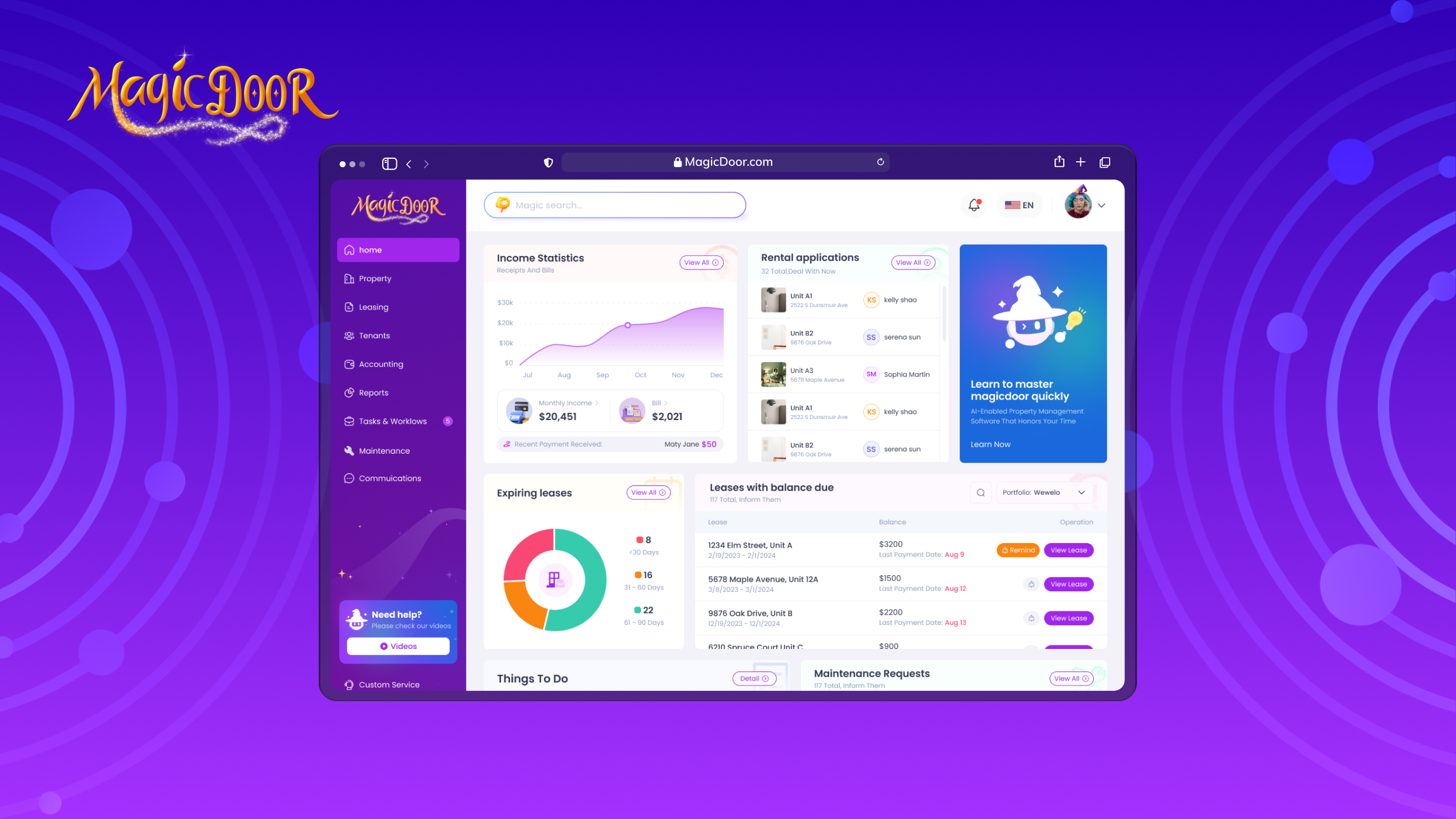
What to Look For in Maintenance Request Software For Landlords
Get expert property management insights, straight to your inbox.
Maintenance requests are among the most time-sensitive aspects of property management.
As rental portfolios grow, tracking repair work through emails, texts, or spreadsheets quickly becomes difficult to manage. Delays increase, communication breaks down, and maintenance costs become harder to control.
In 2026, maintenance request software plays a central role in structuring and optimizing repair workflows. The right system supports clear work order creation, vendor assignment, preventive maintenance scheduling, and real-time tracking. It also connects with property management software to reduce manual data entry and improve financial visibility.
This guide breaks down what landlords should look for, which features matter most, and how to compare options with a clear evaluation framework.
What is Maintenance Request Software in Property Management?
Maintenance request software is a system that allows landlords to receive, manage, and track repair requests in one centralized platform.
Tenants submit a work request through a portal or mobile app. The landlord or maintenance team then creates a work order, assigns the task to technicians, and tracks progress until completion. Every step is recorded, reducing human errors and preventing duplicate tasks.
Most tools fall into the work order management software category. They focus on work order creation, task assignment, status updates, and maintenance tracking. Some systems offer more advanced features, such as preventative maintenance scheduling or integration with broader property management software.
Key Features to Consider in Maintenance Request Software
| Feature | What It Does | Why It Matters |
|---|---|---|
| Online Tenant Submission | Tenants submit requests via portal or mobile app with photos, unit info, and issue type | Eliminates missing details and keeps requests out of email threads |
| Automated Work Order Creation | Converts submissions into trackable tasks with priority, deadline, and assigned technician | Reduces manual entry and prevents tasks from being overlooked |
| Vendor & Contractor Tracking | Stores contractor profiles, links invoices to work orders, and logs performance over time | Controls repair costs and identifies which vendors deliver consistent results |
| Cost Tracking by Property & Unit | Records labor, materials, and vendor charges per work order, broken down by unit and property | Reveals which units drive the highest repair spend and supports accurate budgeting |
| Communication Logs & Status Updates | Logs every status change, technician note, and tenant message in one place | Reduces disputes and keeps landlords informed without manual follow-up |
| Mobile Access for Field Teams | Lets technicians view work orders, upload photos, and update task status from any device | Keeps repairs moving without requiring field staff to return to the office |
Online Tenant Maintenance Request Submission
Every maintenance process starts with a request.
Maintenance request software should allow tenants to submit a repair request through an online portal or mobile app. That submission should automatically capture key details, including the unit number, issue type, photos, and urgency, so landlords don’t have to chase down missing information later.
Centralized data capture improves communication and prevents service requests from getting lost in emails or text messages. It also creates a searchable record for maintenance tracking and future reference.
A clear submission workflow reduces back-and-forth and shortens response times, giving the maintenance team immediate visibility into incoming tasks. That structure improves efficiency without adding complexity or requiring extensive training.
Automated Work Order Creation & Assignment
Once a request comes in, the system should create a new work order automatically.
Strong work order management software converts a tenant request into a trackable task with priority level, deadline, and assigned technician. Landlords should be able to assign work orders in seconds and track work orders through each stage: open, in progress, and complete.
Automation reduces human errors and duplicate tasks. It also stores work histories, which helps maintenance managers analyze recurring rental house repairs and plan preventative maintenance.
Mobile accessibility matters here. Field technicians should receive updates on mobile devices, upload photos, and mark repair work as complete without returning to the office.
A structured work order process keeps maintenance operations organized as portfolios grow.
Vendor Management & Contractor Tracking
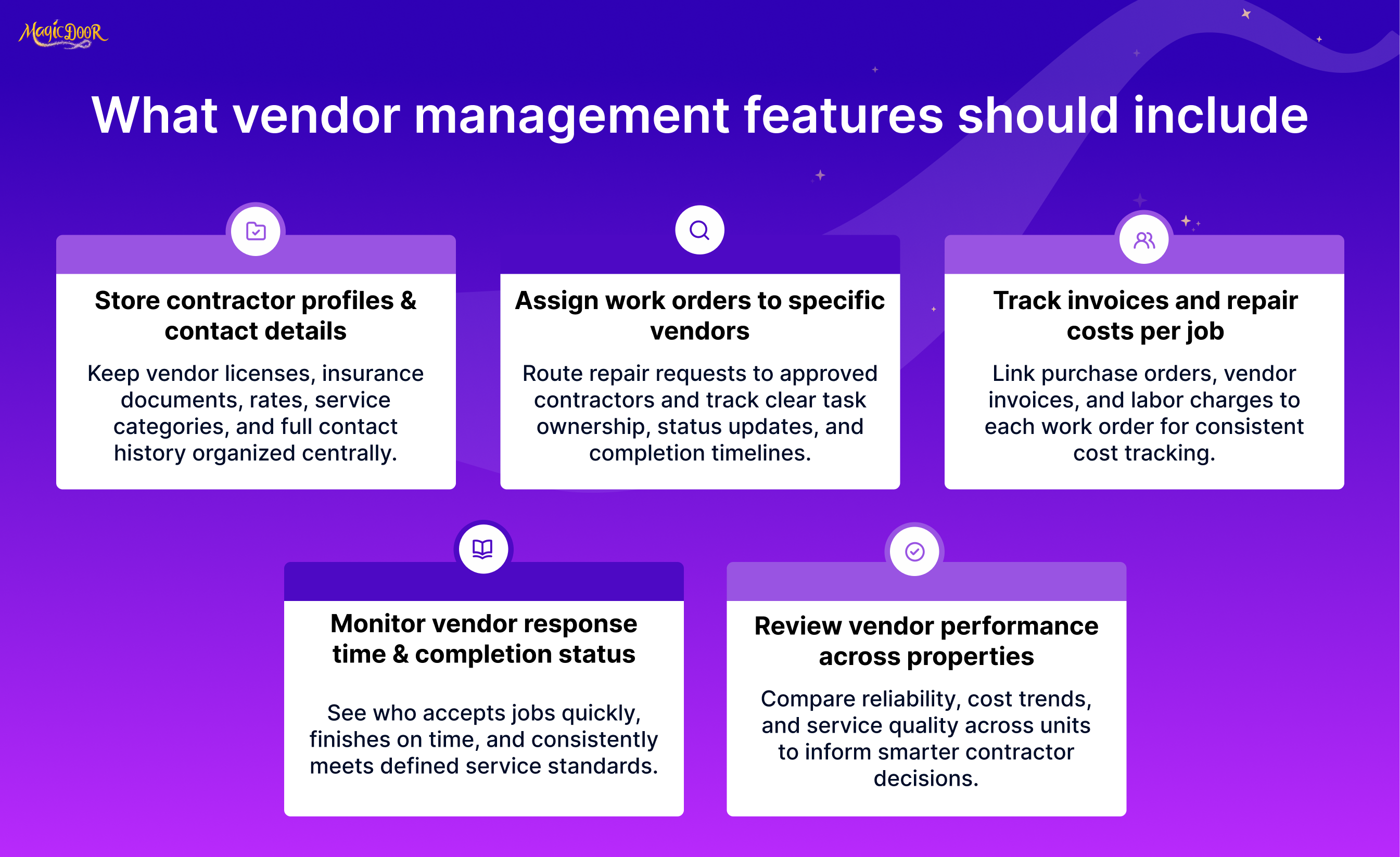
Not every repair is handled in-house.
Maintenance request software should include vendor management features that allow landlords to store contractor details, assign tasks, and monitor performance. That includes tracking purchase orders, invoices, and repair costs tied to each work order.
Clear contractor tracking improves resource utilization and helps control costs. Over time, landlords can see which vendors handle pest control, equipment repairs, or specialized tasks most reliably.
For larger portfolios, systems with more advanced features may integrate with inventory management or broader asset management systems. Even without those additions, the ability to record work orders, track completion, and monitor vendor activity keeps the maintenance department accountable and organized.
Maintenance Cost Tracking by Property & Unit
If you can’t see where money goes, you can’t control it.
Maintenance request software should track repair costs by property and unit, not just as one combined total. Every work order should record labor, materials, and vendor invoices so landlords understand how maintenance management affects profitability.
Clear maintenance tracking helps answer practical questions:
- Which units generate the highest repair costs?
- Are certain equipment types failing repeatedly?
- How much is reactive repair work vs preventive maintenance?
- Are costs rising year over year for the same property?
Reporting dashboards should make this data easy to review without requiring spreadsheet exports. When costs are tied directly to each repair request and work order, financial visibility improves, and budgeting becomes more accurate.
Communication Logs and Repair Status Updates
Maintenance problems escalate when communication breaks down.
A structured system should log every update related to a work request: status changes, technician notes, tenant messages, and completion confirmations. That way, landlords and facility managers see the full history of each repair in one place.
Real-time updates are essential. Tenants should know when repair work is scheduled and when it is completed. Landlords should check whether a task is pending, in progress, or finished without having to chase texts or emails; that's why you need communication tools built into your property management platform.
Clear logs reduce disputes, shorten response times, and improve coordination between the maintenance team and property management.
Over time, stored work histories also reveal patterns that help refine maintenance operations.
Mobile Access for Landlords & Field Vendors
Repairs don’t happen at a desk.
Work order software should provide mobile access so landlords and field vendors can manage tasks from anywhere. On-site technicians need to:
- View assigned work orders
- Upload photos of completed repairs
- Update task status in real time
- Add notes about equipment or follow-up work
Mobile functionality reduces delays and keeps the process moving. Field teams can complete tasks faster, and landlords can monitor progress without waiting for end-of-day reports.
For growing portfolios, scalable mobile features reduce the learning curve and support maintenance tracking across multiple properties without adding complexity.
Factors to Consider When Choosing Maintenance Request Systems
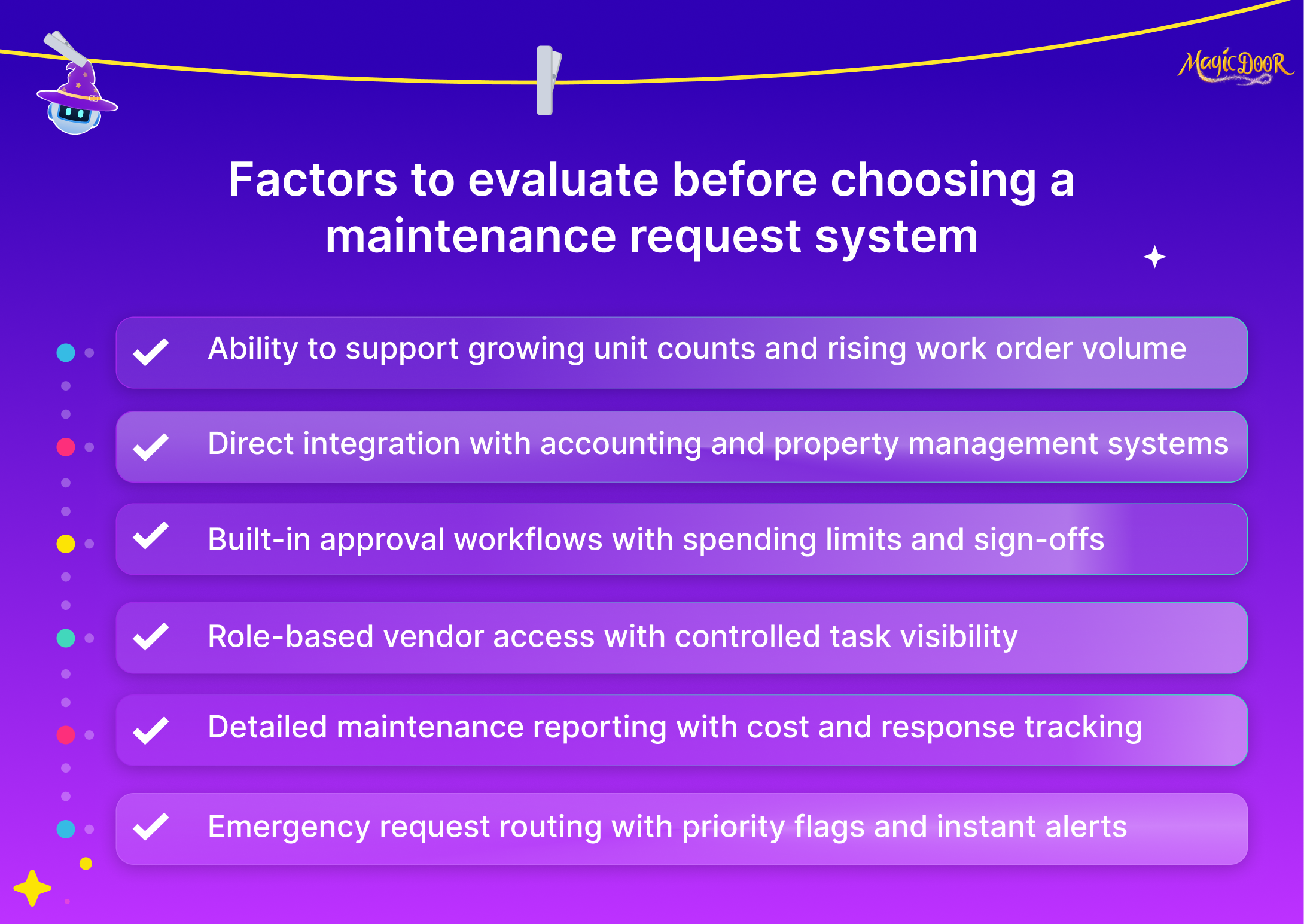
Portfolio Size Compatibility
Your portfolio today is not your portfolio a year from now.
Maintenance request systems should be tailored to the scale of your property management business. Basic work order software may work for small landlords handling limited maintenance tasks. Growing portfolios, however, may require more general maintenance management capabilities or even a computerized maintenance management system (CMMS) to handle higher volume.
When evaluating fit, consider:
- Number of units you manage
- Volume of monthly work orders
- Size of your maintenance team
- Future growth plans
Scalability matters. Switching systems mid-growth disrupts workflows and creates unnecessary retraining. The right platform should support your current operations and expand as your resources and properties increase.
Accounting System Integration
Maintenance affects your books.
Repair invoices, vendor payments, and supply purchases should not live outside your accounting workflow. Maintenance request software should integrate with your property management accounting tools so costs flow automatically into financial records.
Without integration, landlords re-enter data manually, leading to increased errors and wasted time. Integrated systems centralize maintenance tasks and financial tracking in a single platform, reducing administrative effort.
Strong integration also supports better reporting. When repair costs sync directly with your accounting system, you can analyze maintenance spending without exporting and reconciling spreadsheets. That connection improves visibility and supports smarter budgeting decisions.
Work Order Approval Controls
Not every repair should move forward without review.
Work order approval controls allow landlords or facility managers to review maintenance tasks before resources are assigned or vendors are dispatched. This is particularly important for higher-cost repairs or recurring issues.
Approval workflows typically allow you to:
- Set spending thresholds
- Require manager sign-off
- Control vendor assignments
- Track authorization history
Clear controls reduce unnecessary spending and create accountability within the maintenance process. Work order management software should make approvals simple. A structured approval system protects budgets while keeping repairs moving efficiently.
Vendor Access Structure
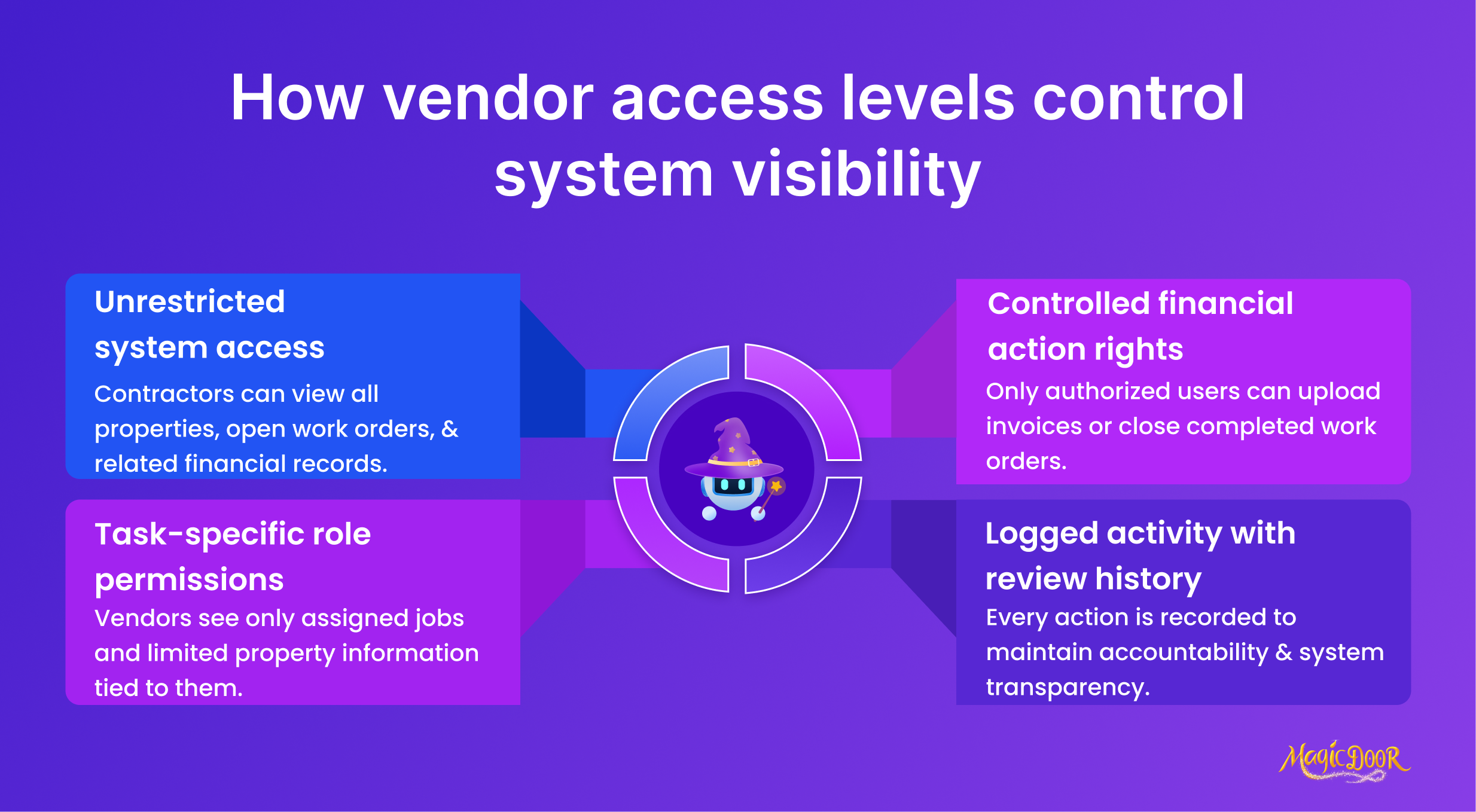
Vendors need access. Just not full access.
Maintenance request software should let landlords control exactly what contractors can see and do inside the system. A plumber does not need visibility into every property or open task in your portfolio.
Look for role-based permissions that allow you to:
- Assign specific maintenance tasks to a vendor
- Limit access to selected properties
- Control who can upload invoices or close work orders
- Track activity history for accountability
Clear access structure protects data inside your property management software and keeps maintenance management organized. It also prevents confusion when multiple vendors use the same tools. Structure here saves time later.
Maintenance Reporting Depth
Basic reporting shows completed work. Strong reporting shows patterns.
Maintenance reporting should go beyond listing closed work orders. Landlords need visibility into repair frequency, recurring issues, average completion time, and total spending by property.
Key capabilities to evaluate include:
- Cost reports by property
- Open vs completed maintenance tasks
- Response time tracking
- Preventive maintenance compliance
Deeper reporting turns maintenance tools into decision-making resources. It helps identify problem units, underperforming vendors, and rising costs before they become bigger issues. For growing portfolios, reporting depth becomes a strategic advantage.
Emergency Request Handling
Emergencies test your system.
A burst pipe or electrical issue cannot sit in a general queue. Work order software should allow emergency tagging, priority escalation, and instant notifications.
Effective emergency handling includes:
- Automatic priority flags
- Immediate alerts to assigned vendors
- Real-time status updates
- Clear documentation of response time
Fast routing improves response times and protects both tenants and assets. In property management, emergency workflow is not a bonus feature. It is a core requirement of any serious maintenance management system.
Questions to Ask Before You Pick Maintenance Request Software
Maintenance request software directly affects how repair work is created, assigned, tracked, and completed.
If the system is difficult to use or lacks key capabilities, maintenance tasks slow down, vendors get confused, and response times increase. Asking the right questions early helps landlords choose tools that actually support their property management process.
Here are the questions to ask:
- How are work orders created and assigned?: Clear work order creation and simple task assignment reduce delays.
- Does it integrate with my property management software?: Integration keeps financial records and maintenance costs aligned.
- Can vendors access only specific tasks and properties?: Permission controls protect information and maintain structure.
- How are emergency repair requests prioritized?: Fast routing and alerts matter for urgent maintenance issues.
- What maintenance reporting features are included?: Detailed reports help track costs and recurring repairs.
- Is mobile access available for landlords and vendors?: Mobile tools allow real-time updates and faster completion.
- Does it support preventive maintenance scheduling?: Automated reminders reduce unexpected repair work.
- What training and customer support are provided?: Proper onboarding shortens the learning curve for your team.
These questions help you evaluate whether the system supports efficient maintenance management, clear communication, and long-term cost control within your business.
Common Mistakes When Choosing Maintenance Request Software for Growing Rental Portfolios
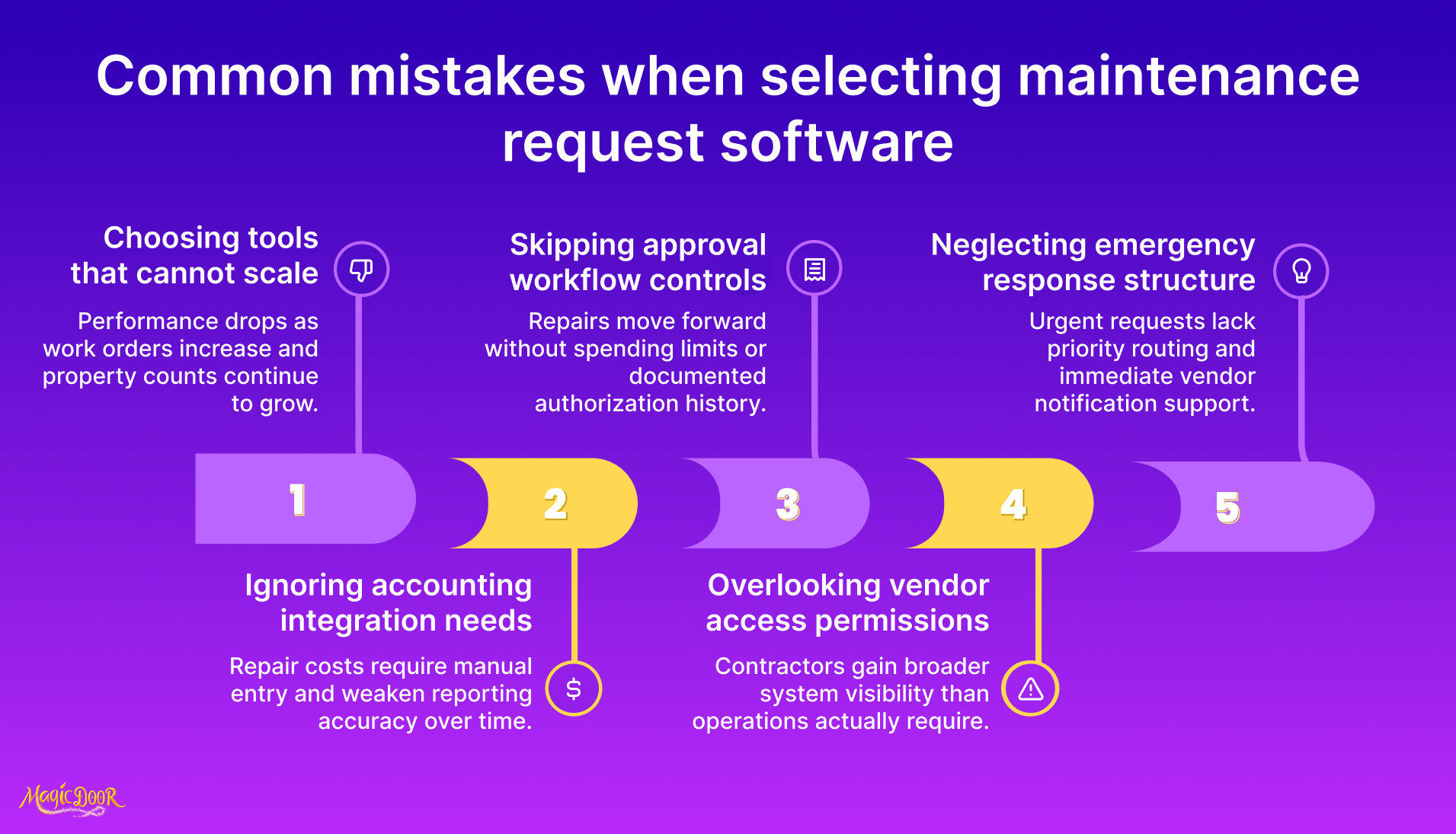
As your rental portfolio grows, the volume of maintenance requests grows with it.
A tool that feels fine for a few properties can become a problem once you have more maintenance tasks, more vendors, and more work orders moving at the same time.
- Picking software that caps out at small volume: Basic work order software can handle light request flow, but it may struggle once work orders increase and you need tighter tracking and faster assignment.
- Skipping integration checks with property management software: When maintenance costs and work order data do not sync, landlords end up manually updating records and losing visibility into total costs.
- Accepting weak request intake and incomplete data capture: If tenants cannot submit clear repair requests with photos and details, the maintenance team spends extra time clarifying issues before repair work begins.
- Choosing tools without preventive maintenance support: Without scheduling for routine checks, properties drift into reactive repairs, which usually cost more and take longer to resolve.
- Not testing vendor access and permissions: Vendors need limited access to the tasks assigned to them. Poor access structure leads to confusion, missed updates, and messy work order tracking.
- Ignoring mobile usability for technicians: If field vendors cannot update work orders from mobile devices, status updates lag, and landlords lose a reliable view of what’s complete.
- Buying based on price, then paying later: Lower-cost tools often lack reporting dashboards, approval controls, and scalable capacity, which increases admin time as the portfolio grows.
- Overlooking reporting depth until budgets are due: Maintenance reporting should show repair volume, recurring issues, and cost patterns. Without that, budgeting becomes guesswork.
Growing portfolios need maintenance tools that keep work order management tight, tracking accurate, and communication clear without adding extra admin work. Checkout our rental property maintenance checklist to keep tenants happy and protect your property's value.
How to Compare Maintenance Request Software Options With a Scorecard
When multiple maintenance request software options look similar, feature lists alone are not enough. A structured scorecard helps landlords compare systems based on the capabilities that actually affect daily maintenance management.
Instead of relying on demos or sales pages, assign a score (1–5) to each category below.
Focus on how well the software supports work order management, reporting, mobile access, and integration with your existing property management automation tools.
| Evaluation Criteria | What to Look For | Score (1–5) |
|---|---|---|
| Work Order Creation & Tracking | Easy work order creation, status updates, ability to record work orders, and track completion history | |
| Tenant Request Portal | Mobile-accessible portal for submitting repair requests with photos and details | |
| Vendor Assignment & Controls | Ability to assign work orders, limit vendor access, and track performance | |
| Preventive Maintenance Scheduling | Automated reminders for recurring inspections and maintenance tasks | |
| Reporting & Cost Tracking | Reporting dashboards showing repair costs, response times, and recurring issues | |
| Accounting & System Integration | Sync with property management software and accounting tools to reduce manual data entry | |
| Mobile Access | Full functionality for landlords and technicians on mobile devices | |
| Ease of Use & Learning Curve | Intuitive interface requiring minimal training for staff and vendors | |
| Scalability | Ability to handle increased maintenance volume as your portfolio grows | |
| Support & Reliability | Responsive customer support and system stability |
After scoring each system, compare totals side by side. The highest score does not automatically mean the best choice, but it highlights which software aligns most closely with your maintenance process, resources, and long-term growth plans.
A scorecard keeps the comparison structured and helps landlords choose tools that support efficient maintenance tracking rather than adding extra administrative work.
MagicDoor Maintenance Request Software for Landlords Managing Growing Rental Portfolios
MagicDoor combines maintenance request software with accounting and lease management software into a single, connected platform. For landlords managing growing rental portfolios, that connection matters.
Tenants submit repair requests through a structured portal. From there, work order creation, assignment, tracking, and completion all happen inside the same system. Landlords can assign work efficiently, monitor status in real time, and maintain a complete history of repairs without switching tools.
MagicDoor supports:
- Clear work order management with status tracking
- Vendor assignment with controlled access
- Real-time updates for landlords and technicians
- Integrated maintenance cost tracking inside the accounting system
- Preventive maintenance scheduling to reduce recurring repair issues
Because maintenance, rent, and financial records live together, cost data flows directly into reporting. That reduces manual errors and gives landlords visibility into repair spending by property.
For growing portfolios, MagicDoor keeps maintenance management structured, organized, and scalable without adding extra administrative work.
Conclusion
Choosing maintenance request software is about more than organizing repair requests. It directly impacts response time, vendor coordination, cost tracking, and long-term property performance.
A strong system should help you:
- Create and track work orders efficiently
- Assign vendors with clear access controls
- Monitor maintenance costs by property
- Schedule preventive maintenance automatically
- Integrate with accounting and property management tools
As portfolios expand, structured maintenance management becomes essential.
If you want maintenance tracking, accounting, and lease management connected in one platform, explore how MagicDoor supports growing landlords with a unified system built for scale.