Best Communication Tools for Property Managers in 2026
Get expert property management insights, straight to your inbox.
Property managers don’t have time to pursue emails or return missed calls all day. When tenants have questions or maintenance needs, the faster you reply, the smoother everything runs.
That’s where communication tools built for property management make a real difference. They bring every message, reminder, and update into one simple place. Tenants can ask about rent or report a leak. You can see it, assign it, and move on, no confusion, no repeat questions.
The best part? It saves hours every week. You stay organized, tenants stay informed, and the entire operation feels calmer and more predictable.
This guide highlights the best communication tools for property managers in 2026, what each one offers, and how they fit different types of rental portfolios.
What Are Tenant Communication Tools?
Tenant communication tools are features built into property management platforms, apps, or standalone systems that help landlords and property managers talk to tenants without phone tag or messy email chains.
The goal is simple: make updates, questions, and everyday interactions easier to handle. A tenant can submit a maintenance request, ask about a payment issue, or review a lease agreement through a user-friendly tenant portal that keeps everything organized.
For property managers, the right setup reduces manual work, cuts down on repeated questions, and improves the customer experience. Many systems support automated reminders for rent payments, late fees, insurance requirements, and maintenance follow-ups.
That kind of automation keeps day-to-day operations smoother and gives teams more time for essential tasks.
Common features include:
- In-app messaging for direct communication
- Automatic alerts for rent payments, lease deadlines, and maintenance tasks
- Shared portals for payment history, maintenance tracking, and key documents
- Options to collect rent online, reducing the need for checks or manual reconciliation
- Built-in messaging during tenant screening for prospective tenants
- Cloud-based tools that work on desktop and mobile
Any manager running single-family rentals in Northern Virginia, small portfolios, or larger sets of rental properties benefits from a clearer, faster way to communicate with tenants. The right tools improve response times, support smoother maintenance management, and help the rental business stay organized without constant back-and-forth.
Top 10 Communication Tools Property Managers Are Using in 2026
| Company | Best For | Key Features | Price |
|---|---|---|---|
| MagicDoor | PMs who want communication connected to payments, maintenance, and daily tasks | Central inbox by property, automated reminders, maintenance updates, mobile access, team permissions | $2.50 per active lease/mo |
| Propertyware | Larger single-family portfolios with structured workflows | Task-linked messaging, vendor coordination, online payments, owner reporting | Starts around $1 per unit/mo + $250 monthly minimum |
| Zillow Rental Manager | Leasing teams focused on quick replies and showings | Applicant messaging, showing coordination, early screening prompts, lead sorting | Free messaging; paid listing fees vary by market |
| AppFolio | Mid-size and large portfolios needing communication tied to broad operations | In-app messaging, mobile replies, work-order updates, payment alerts | Not displayed - Minumum spend and 50 unit minimum |
| Tenant Turner | Managers wanting faster leasing communication and automated showings | Lead inbox, schedule syncing, screening prompts, automated alerts | Starts at $1.30 per residential unit/mo under management + $65 minimum subscription |
| Buildium | Small and mid-size portfolios seeking connected communication and payments | Tenant/owner messaging, maintenance updates, payment alerts, mobile tools | Starts at $62/mo + other fees |
| DoorLoop | Teams wanting communication built into a full management system | Inbox tied to units, work order progress, payment notices, mobile dashboard | Starts at $69/mo. Billed yearly |
| TenantCloud | Independent landlords and small teams needing simple messaging | Tenant/owner inbox, rent reminders, maintenance updates, mobile access | Starting at $18/mo |
| HappyCo | Teams that rely heavily on inspections and field coordination | Messaging tied to checklists, photo updates, mobile inspection workflows, team roles | Custom pricing |
| RentRedi | Managers prioritizing mobile messaging for rent and maintenance updates | App-based messaging, photo/video maintenance updates, rent reminders, mobile dashboards | Starts at $5/mo + other fees |
1. MagicDoor
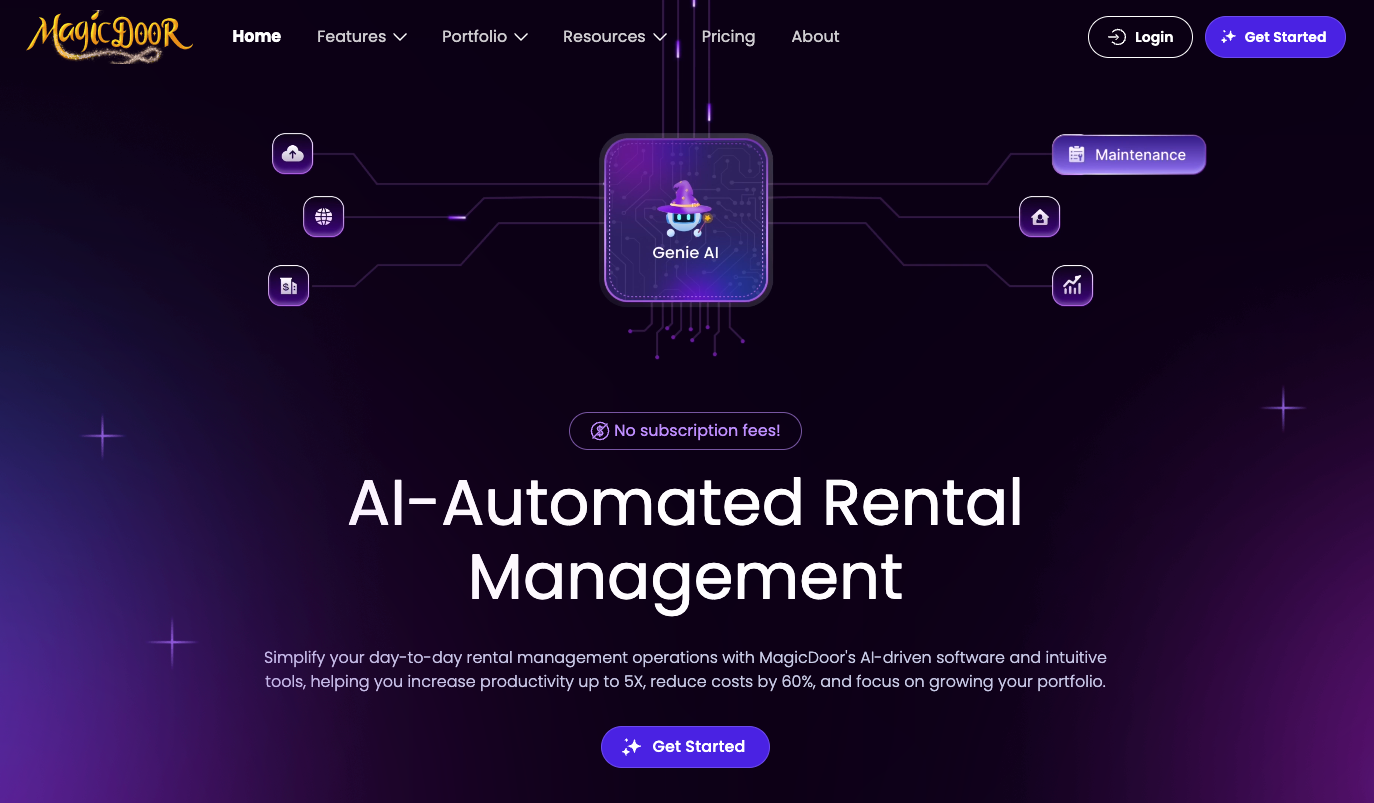
MagicDoor gives property managers a single hub for communication, leasing, maintenance, and rent collection. Its built-in messaging system keeps every conversation tied to the right unit, so teams can reply faster and avoid guesswork. Managers can handle updates on desktop or mobile, making it easier to stay connected during showings or fieldwork.
MagicDoor also supports automated notices, organized threads for tenant communication, and owner updates inside the same dashboard.
Features
- Central inbox that organizes tenant and owner messages by property
- Automated reminders for rent, renewals, inspections, and upcoming tasks
- Comprehensive accounting hub that replaces QuickBooks
- Maintenance updates that track progress from request to completion
- Mobile tools for responding during showings or field visits
- Custom permission levels for leasing, accounting, and maintenance teams
- Timeline view showing all communication tied to each unit
Pros
- Clear communication history
- Easy to use for teams of any size
- Messaging connects to tasks and updates
- Great mobile app experience
Cons
- Works best for portfolios that want an all-in-one platform
- Limited appeal for owners who only want a communication tool
Best for: Managers with growing portfolios who want one system for communication, payments, and tasks.
2. Propertyware

Propertyware is a well-known option for single-family portfolios and regional managers handling larger workflows. It includes communication tools inside its broader property management platform, giving teams a way to message tenants, owners, and vendors from one dashboard.
Its strength comes from custom workflows and detailed reporting for managers who need structure across multiple properties.
Features
- Communication threads connected to tasks, work orders, and property files
- Notification system that alerts teams to new tenant messages or maintenance updates
- Online payment features tied to message history and ledger activity
- Owner reporting tools that summarize conversations and approvals
Pros
- Customizable workflows
- Strong for high-volume single-family portfolios
- Good visibility for owners
Cons
- Learning curve for new users
- Custom setup takes time
- Interface feels dated compared with newer tools
Best for: Operators with large single-family portfolios that need flexible configuration.
3. Zillow
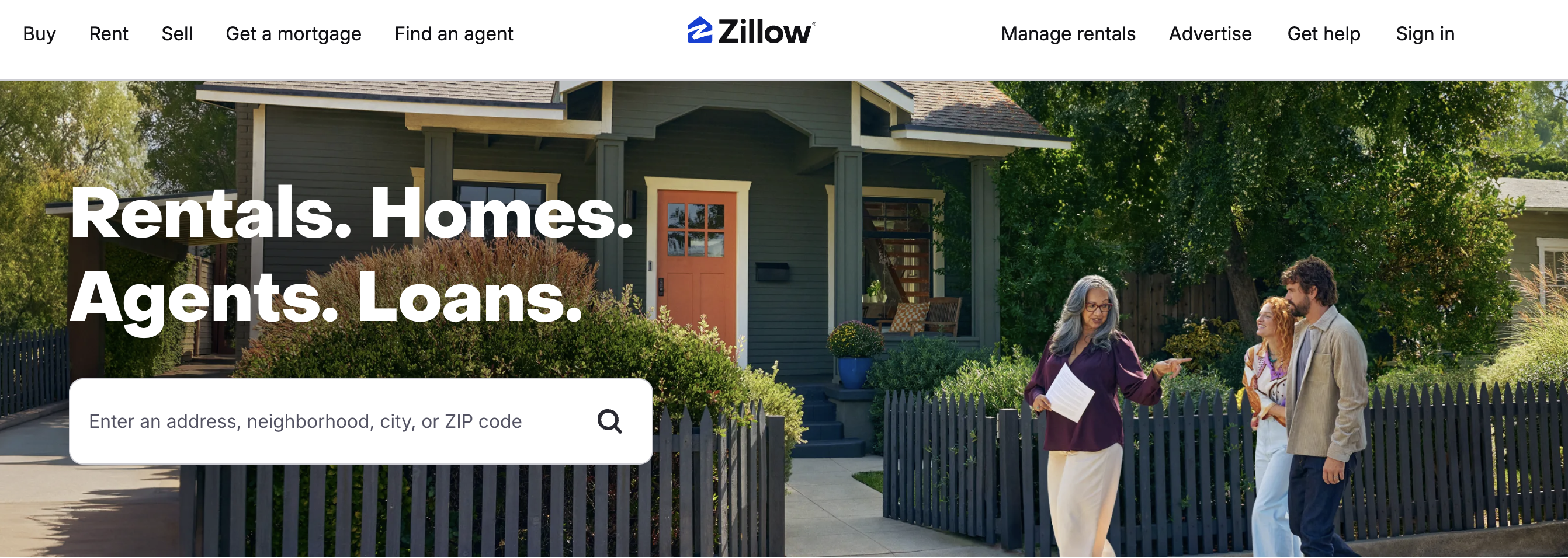
Zillow offers communication features inside its rental management portal, mainly focused on leasing activity and lead responses. Property managers can message prospective tenants, share screening details, and coordinate showings.
It supports quick responses during the leasing phase, helping managers fill vacancies faster before applicants move on to the next listing.
Features
- Messaging dashboard for inquiries from Zillow listings
- Showing coordination tools that let prospects choose available time slots
- Screening Q&A built into early conversations with applicants
- Lead management hub that sorts messages by property, time, and status
Pros
- Strong reach thanks to Zillow’s renter traffic
- Easy to use during leasing
- Quick applicant replies
Cons
- Limited communication tools once tenants move in
- No built-in workflows for maintenance or rent-related updates
- Not made for full operational use
Best for: Managers focused on leasing and lead response rather than full operational communication.
4. AppFolio
AppFolio offers a full property management platform with messaging for tenants, owners, and vendors. Communication threads connect with tasks for payments, maintenance, and inspections, which supports steady coordination for mid-sized and large portfolios.
Features
- Central inbox for tenant, owner, and vendor messages
- Mobile app for real-time replies and task updates
- Maintenance tools that connect messages to work orders
- Payment notifications tied to each unit and ledger
Pros
- Smooth mobile experience
- Reliable message history
- Strong for larger portfolios
Cons
- Higher pricing tiers
- Requires onboarding time
Best for: Teams needing communication tied to comprehensive operational tools.
5. Tenant Turner
Tenant Turner strengthens leasing communication with automated replies, organized lead flow, and fast scheduling. It helps managers connect with prospective tenants quickly, improving response times and reducing manual back-and-forth during the showing process.
Features
- Lead inbox that organizes inquiries by property and urgency
- Tour scheduler that syncs with your calendar automatically
- Screening prompts that qualify renters before showings
- Automated alerts that notify managers about new leads instantly
Pros
- Faster lead qualification
- Easy showing coordination
- Helpful automation
Cons
- Communication tools stop after move-in
- Limited operational depth
Best for: Managers focused on leasing communication and faster showings.
6. Buildium

Buildium supports communication, payments, and maintenance inside one system. Messages connect with updates for rent collection, approvals, and request tracking, which gives teams a clearer view of tenant needs and task progress.
Features
- Message threads linked to rental units and tenant accounts
- Maintenance updates that notify tenants at each step
- Payment alerts tied to rent collection and late notices
- Mobile dashboard for on-the-go communication and approvals
Pros
- Easy for teams to learn
- Balanced feature set
- Good entry point for small portfolios
Cons
- Advanced tools require higher plans
- Some workflows feel rigid
Best for: Managers who want dependable communication tied to everyday operations.
7. DoorLoop

DoorLoop offers a comprehensive property management system with messaging tools for tenants and owners. Communication sits next to payments, maintenance, and leasing activity, giving managers a central workspace for daily coordination.
Features
- Inbox linked to tenant profiles and unit data
- Maintenance updates connected to work orders
- Payment notices tied to rent collection
- Mobile tools for quick replies
Pros
- Clean interface
- Strong automation options
Cons
- Pricing grows with portfolio size
- Some features require higher plans
Best for: Managers seeking communication inside a full operational platform.
8. TenantCloud
TenantCloud focuses on small and mid-sized portfolios, offering communication tools inside a lightweight property management platform. Messages link into maintenance tracking, payments, and tenant activity.
Features
- Inbox for tenants and owners
- Maintenance updates with photo uploads
- Rent reminders linked to online payments
- App access for field communication
Pros
- Simple setup
- Affordable for small portfolios
Cons
- Limited flexibility for larger teams
- Fewer advanced tools than enterprise platforms
Best for: Independent landlords and managers seeking an easy communication system.
9. HappyCo
HappyCo is known for inspections, yet its communication features support coordination between managers, tenants, and maintenance teams. Messages and updates connect to inspection reports, photos, and property condition data.
Features
- Messaging tied to inspections and checklists
- Photo-based updates for maintenance requests
- Mobile tools for on-site work
- Team roles for field coordination
Pros
- Strong inspection workflows
- Clear visual documentation
Cons
- Limited messaging outside inspection workflows
- Not built for full operational communication
Best for: Teams focused on inspection-heavy portfolios and detailed field reporting.
10. RentRedi
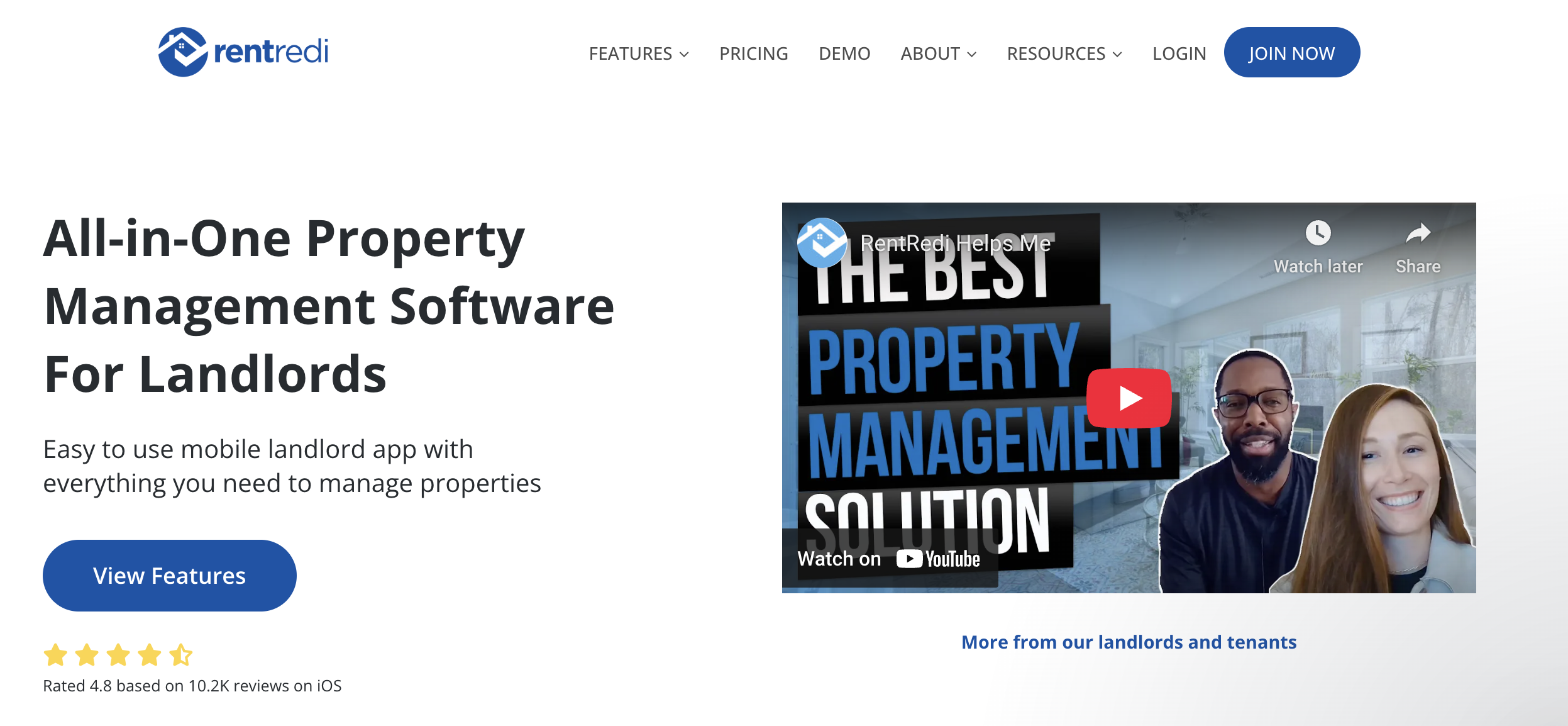
RentRedi offers mobile-first communication, giving tenants an easy way to message managers, upload maintenance photos, and handle payments. Its tools are built around straightforward coordination for small and mid-sized portfolios.
Features
- Messaging inside tenant and manager apps
- Maintenance updates with videos or photos
- Rent reminders connected to payment tools
- Mobile dashboards for daily tasks
Pros
- Strong mobile experience
- Quick setup
Cons
- Limited advanced workflows
- Not ideal for large multi-team operations
Best for: Managers prioritizing mobile communication and simple task coordination.
Advantages of Using Landlord-Tenant Communication Software
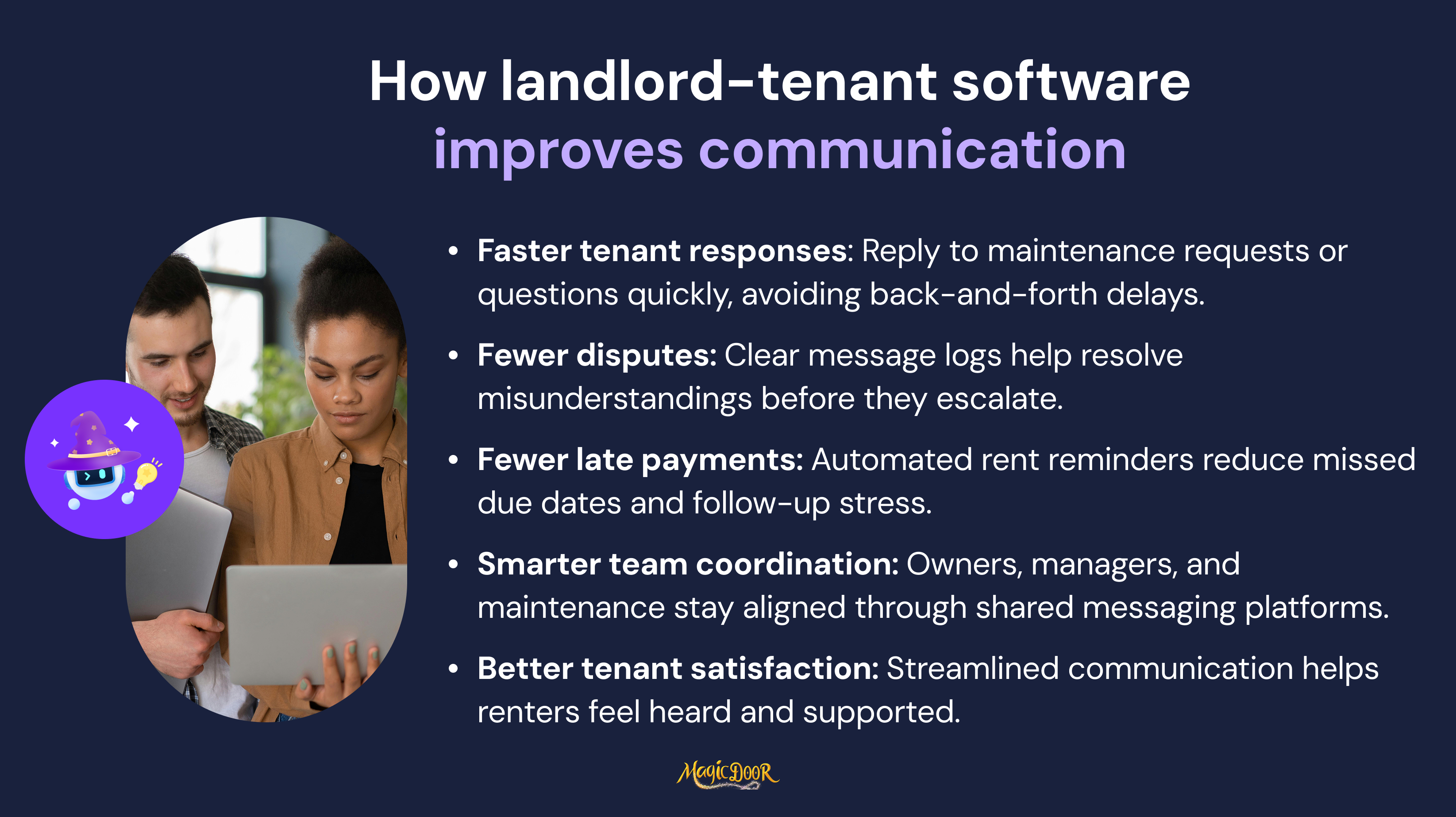
Faster Responses to Tenant Questions & Requests
Delays frustrate tenants.
Whether it’s a leaky faucet, a login issue, or a missing rent confirmation, most tenant concerns are time-sensitive. Using tenant communication tools helps property managers respond faster, without relying on scattered emails or untracked phone calls.
With a cloud-based platform and user-friendly interface, tenants can submit maintenance requests through the portal, and managers receive instant notifications. No extra steps. No follow-up calls asking, “Did you get my message?” The result is fewer missed issues and better maintenance management on every property in the portfolio.
Faster replies also improve tenant satisfaction, and that leads to fewer turnovers and easier lease renewals.
Clear Records That Reduce Misunderstandings & Disputes
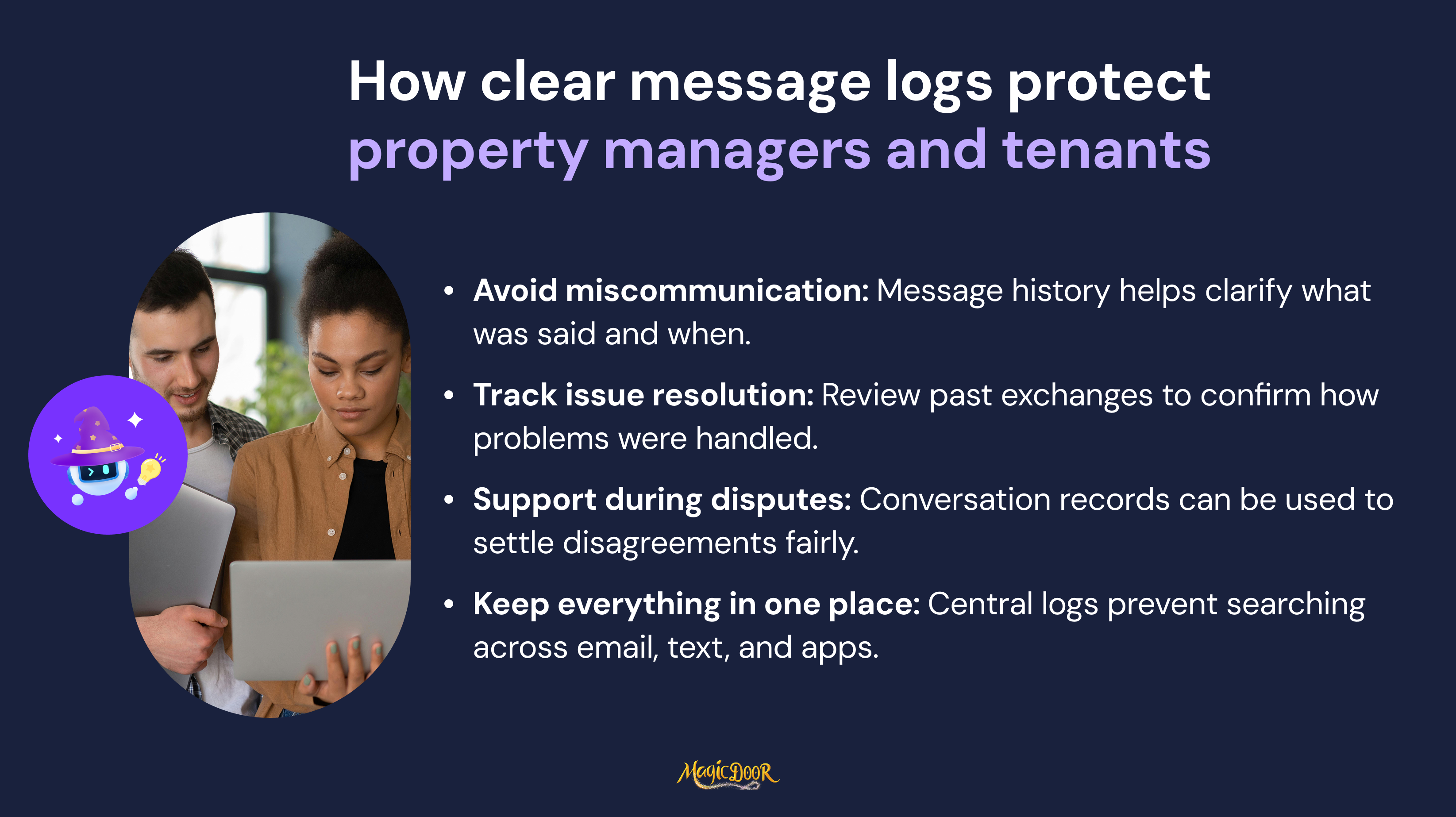
Most tenant disputes start with unclear communication, a rent reminder that never arrived, a maintenance issue reported by text and forgotten, or a fee that wasn't properly explained.
A structured communication system logs everything.
When tenants submit maintenance requests, confirm a rent payment, or respond to a notice, everything is documented in the portal. Message history, timestamps, attachments, and read receipts remain tied to the tenant profile and can be referenced at any time. No searching inboxes. No blurred timelines.
This kind of record-keeping protects property managers, supports fair housing compliance, and builds more trust with property owners and tenants alike.
Automated Reminders That Cut Down on Late Rent & Missed Deadlines
No one enjoys chasing rent. Yet every property manager knows the reality: payments get missed, lease renewals slip through the cracks, and some tenants need three nudges before taking action.
Automated reminders reduce the heavy lifting. When scheduled ahead of time, they keep tenants informed about upcoming rent payments, lease agreement renewals, and even renters' insurance requirements. Some platforms also let you customize the tone of reminders, so they’re professional but not inflexible.
Here’s what gets easier with automation:
- Sending rent reminders 3–5 days before due dates
- Alerting tenants about lease expirations a month out
- Notifying tenants to upload insurance proof
- Following up on incomplete maintenance requests
Managers working with multiple rental properties can reclaim hours each month just by removing these repetitive tasks. And when tenants stay in the loop? Fewer late fees, fewer awkward follow-ups, and fewer gaps in rent collection.
Centralized Messaging That Replaces Scattered Emails & Texts
A text here. An email thread there. A phone call… somewhere. That’s how minor questions turn into real problems, because nothing stays in one place.
Tenant communication tools solve this by housing all messages inside the property management software itself. When a tenant sends a question or submits a maintenance request, it doesn’t vanish into someone’s inbox. It gets attached to their profile, along with message history, time stamps, shared documents, and response records.
This kind of setup:
- Keeps everyone on the team in sync
- Creates searchable logs of tenant concerns
- Helps clarify any disputes later on
- Makes it easier to delegate replies, fast
And for tenants? It shows you’re running a reliable, organized operation, the kind that earns better reviews and fewer complaints.
Easier Coordination Between Managers, Owners, & Maintenance Teams
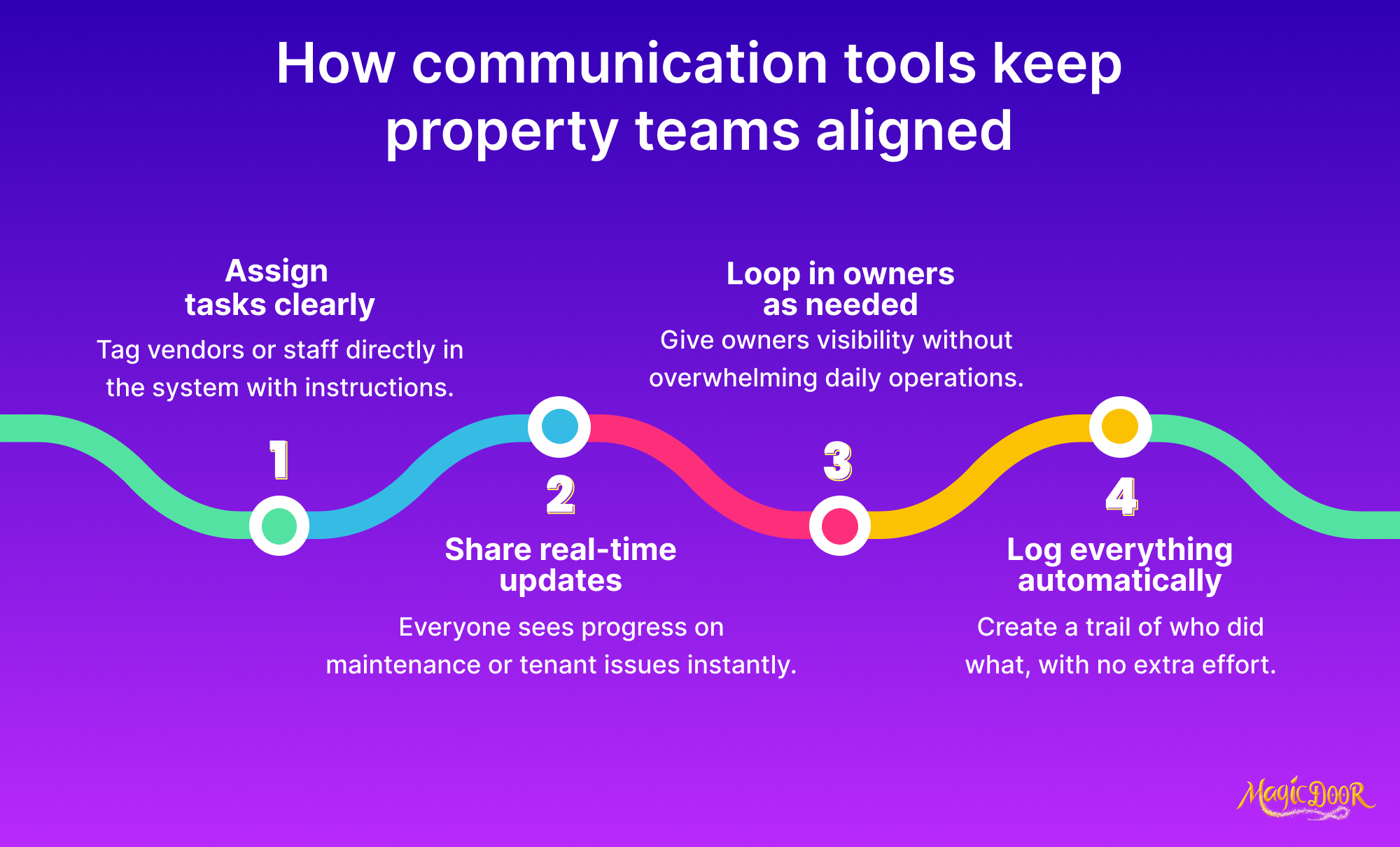
A tenant logs in to report a leaking shower. It needs fixing, but who's in charge? Did the owner approve the cost? Was maintenance notified? In traditional workflows, updates vanish into inboxes or go stale while people wait for answers.
Property management software with built-in messaging solves this. When teams use the same tool to handle maintenance tracking, communication becomes instant and traceable. The manager sees the ticket, the owner gets notified, and the maintenance team knows what to do, all from a single platform.
Here’s what this helps you avoid:
- Double-booked vendors
- Delayed fixes
- Endless email chains asking for approval
- Owners texting “any update on that request?”
With the right tenant communication tools, coordination becomes part of daily property management operations, not a separate challenge to fix.
Mobile App Access That Helps You Stay Reachable from Anywhere
Rental issues don’t wait until you're back at your desk.
Calls from tenants, urgent maintenance issues, or owner questions can come in at any hour, and being tied to a desktop system limits your ability to respond.
That’s where mobile-ready platforms change the game.
Using a property management app, you can communicate directly with tenants, log updates, or share files, even during a property showing or while walking between units.
Mobile access helps property managers:
- Reply to messages faster
- Track maintenance requests in real time
- Send documents or photos instantly
- Manage tasks during site visits
Plus, tenants can easily submit maintenance requests, view notices, and pay rent, all from their phone. A user-friendly tenant portal isn’t just convenient. It keeps operations moving, even when you’re on the go.
Better Tenant Experience Through Consistent & Organized Communication
Miscommunication breaks trust. If tenants aren’t sure who to contact, don’t get updates on their rent payments, or hear mixed messages from staff, they stop feeling like a priority, and that shows up in reviews, retention, and satisfaction.
A consistent communication system tells tenants: you’re on top of things.
That might mean:
- Every rent reminder looks the same and arrives on time
- Maintenance requests receive updates at each step
- Conversations stay organized inside the portal
- Responses come from one place, not five
Bringing landlord-tenant communication into one centralized space lets tenants know what to expect, how to get help, and when they’ll hear back. That confidence leads to better experiences and less conflict during property management handoffs, turnovers, or disputes.
Common Features of Tenant Communication Tools
Clear, trackable communication keeps property operations organized. Rent reminders reach tenants on time. Maintenance requests move forward quickly. Owners get updates without needing repeated follow-ups or buried threads.
As property teams take on more units, messaging needs to support task completion, not only send a message. The best systems log updates, notify the right people, and simplify follow-up.
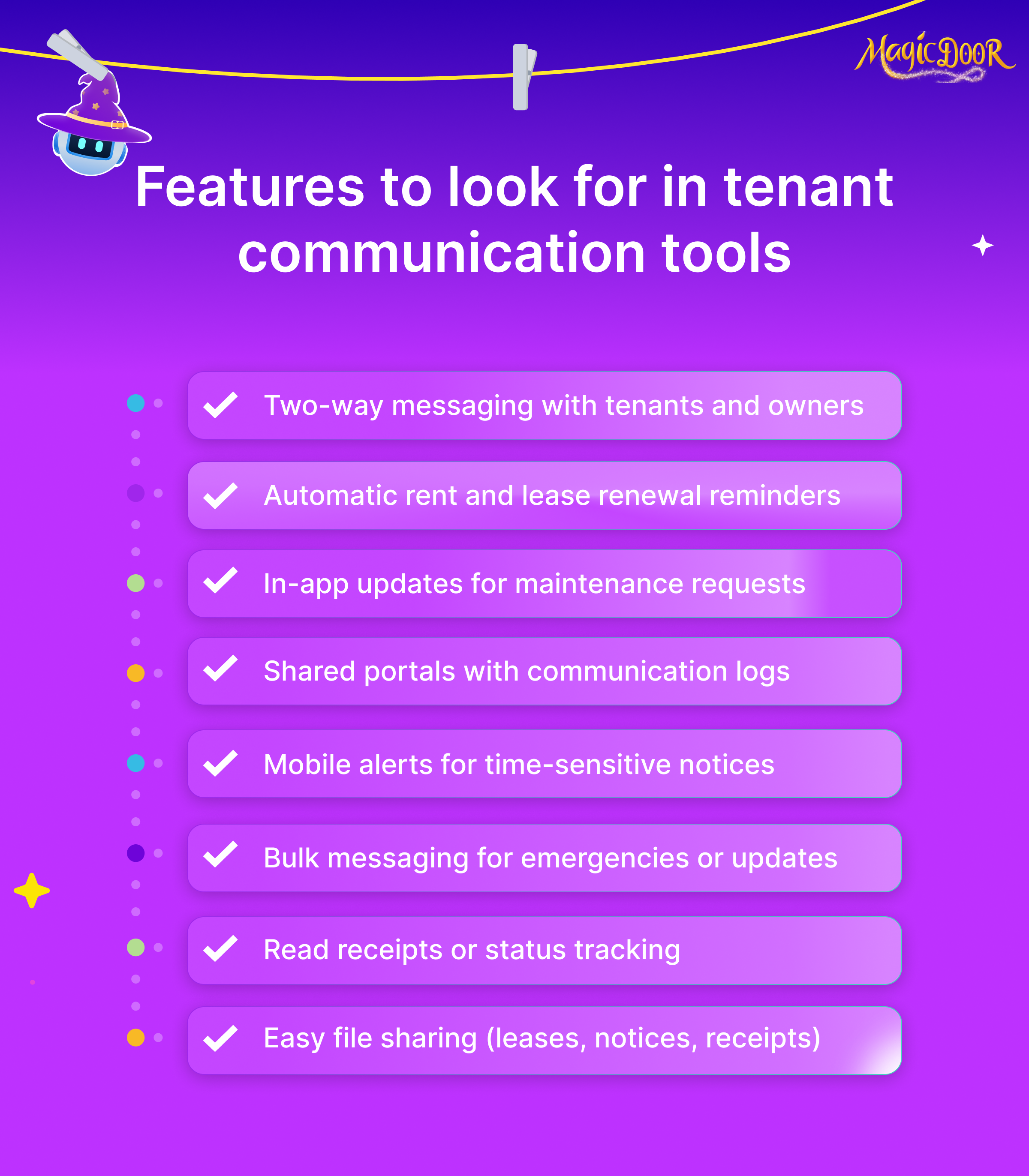
Here’s what to expect from a reliable communication system:
- Two-way messaging between tenants, owners, and managers
- Automatic rent due and lease renewal reminders
- In-app updates for maintenance issues and approvals
- Tenant and owner portals with full communication history
- Mobile alerts for urgent updates or notices
- Bulk messaging for weather alerts, emergencies, or unit-wide notices
- Read receipts to track who’s seen what
- Easy file uploads: leases, receipts, notices, and inspection forms
- Mobile access to manage updates on the go
- Role-specific controls for team-based management
- Communication logs that help with compliance or audits
- SMS or email options, depending on tenant preferences
Reliable tools like these support faster decisions, fewer miscommunications, and more visibility for everyone, tenants, owners, and teams.
How to Choose the Right Communication Software Based on Your Portfolio Size & Team
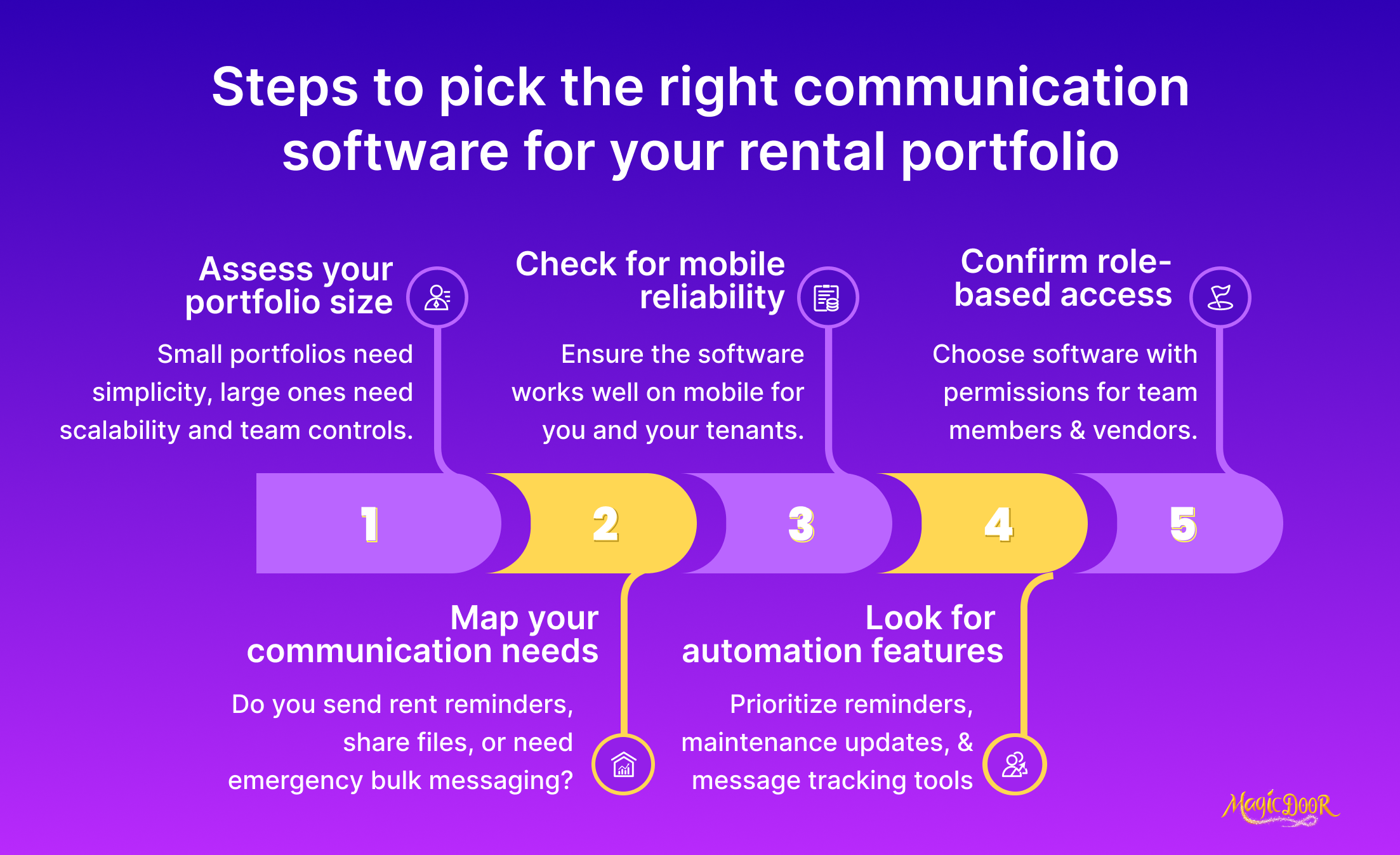
Look for Role-Based Access if You Work with a Team
Teams run into trouble when everyone sees everything.
Leasing agents, maintenance coordinators, accountants, and owners all need different levels of visibility. Role-based access solves this by organizing who can reply, approve, or update information inside your property management software.
For example:
- Leasing agents can message prospective tenants and handle tenant screening questions.
- Maintenance coordinators focus on maintenance requests and follow-ups.
- Accountants manage rent collection, online payments, and financial reports.
A clear permission system also supports smoother collaboration when managing multiple rental properties, especially when part of a growing property portfolio.
Prioritize Automation if You Don’t Have Time for Manual Updates
Communication slows down when every reminder or notice depends on manual effort.
Automated actions inside tenant communication tools keep essential tasks moving. Rent reminders go out on time. Maintenance updates reach tenants immediately. Follow-ups land in the portal when a task changes status.
Property management automation becomes even more helpful when the workload grows, such as:
- Rent reminders for every unit
- Notices tied to late payments
- Updates about maintenance issues
- Messages confirming when tenants pay rent or collect rent online
- Alerts linked to lease renewals
Automated actions lighten the load, cut repetitive communication, and give teams space to focus on conversations that actually matter.
For a rental business handling anything from single-family homes to larger portfolios, automation turns communication into a dependable system rather than a daily scramble.
Choose a Property Management Tool That Scales With Your Portfolio
Growth exposes weak systems fast.
A platform that feels fine with ten units can turn into a bottleneck at fifty. Communication becomes messy, task visibility drops, and maintenance requests slip through cracks that no one noticed before.
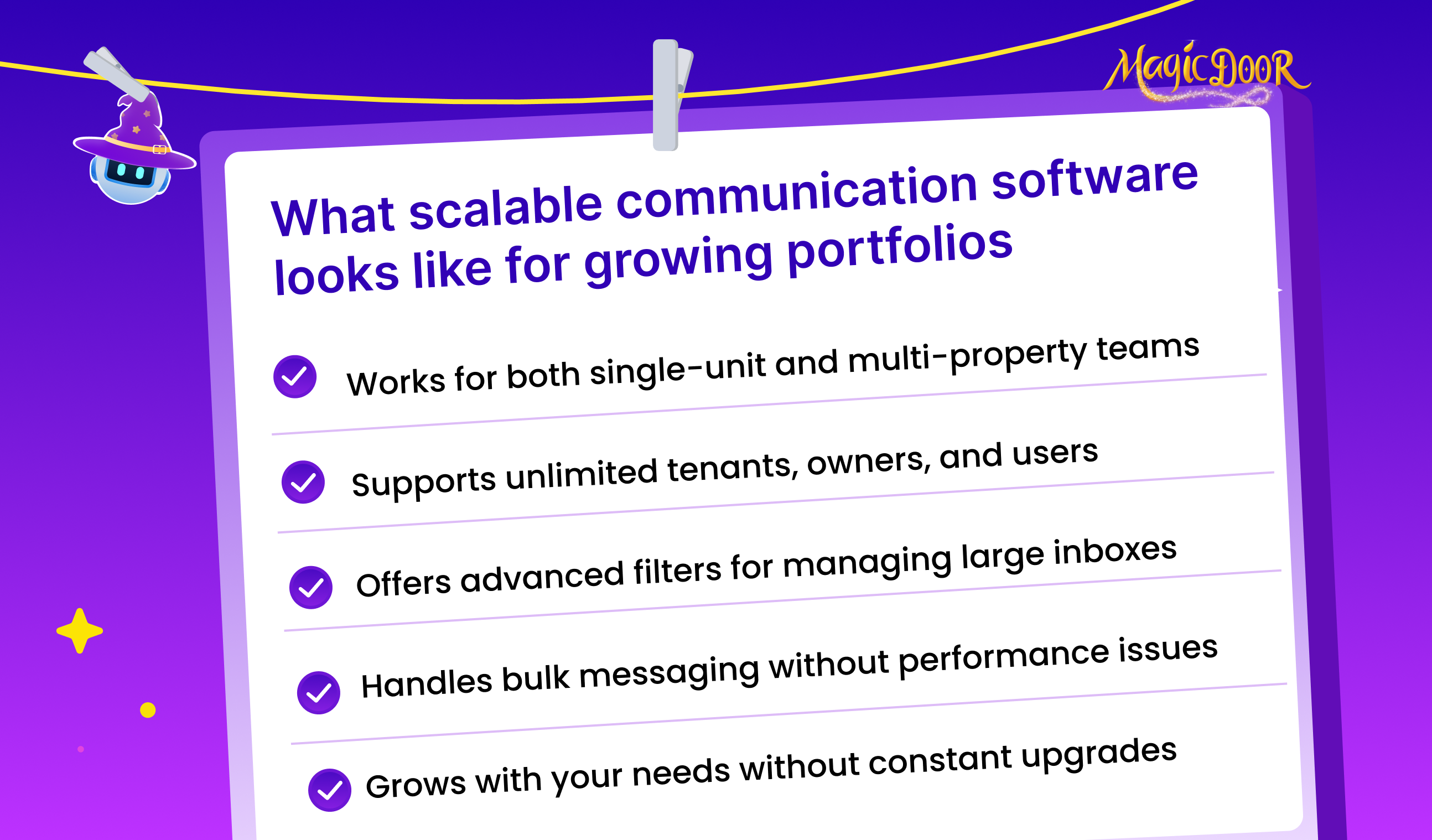
A scalable setup lets your property management tools adjust as new buildings, owners, or team members come into the picture. That means you can add units, expand permissions, and keep communication steady as the load increases. When the software grows with you, managing rental properties feels less like juggling and more like running a coordinated operation.
Platforms with strong scalability tend to support:
- Large message histories tied to each tenant
- More permission layers for team roles
- Flexible workflows for rent collection and notices
- Easy onboarding when new coordinators join
- Consistent performance even as the portfolio expands
If expansion is part of the plan, the communication system needs enough room to grow with you, not slow you down when momentum picks up.
Make Sure It Logs All Tenant & Owner Communication
Any conversation worth having is worth storing. When issues escalate, the person with the clearest record usually wins the argument.
A property management platform that logs every message gives you that advantage.
Every status update on a maintenance issue, every rent-related question, every notice sent to an owner, it all stays attached to the correct unit. This kind of tracking supports smoother handoffs between team members and makes landlord tenant communication more dependable.
Logged communication helps your team:
- Track the full timeline of a request
- Avoid repeated questions
- Reduce misunderstandings
- Build trust with owners who want transparency
A clean communication history also helps leaders spot patterns, slow responses, recurring issues, or gaps that require a better workflow.
Get a Software That Works Seamlessly on Mobile
Property managers move, a lot. A full day can jump from office tasks to showings to on-site inspections. A platform that locks you to a desktop turns simple actions into delays.
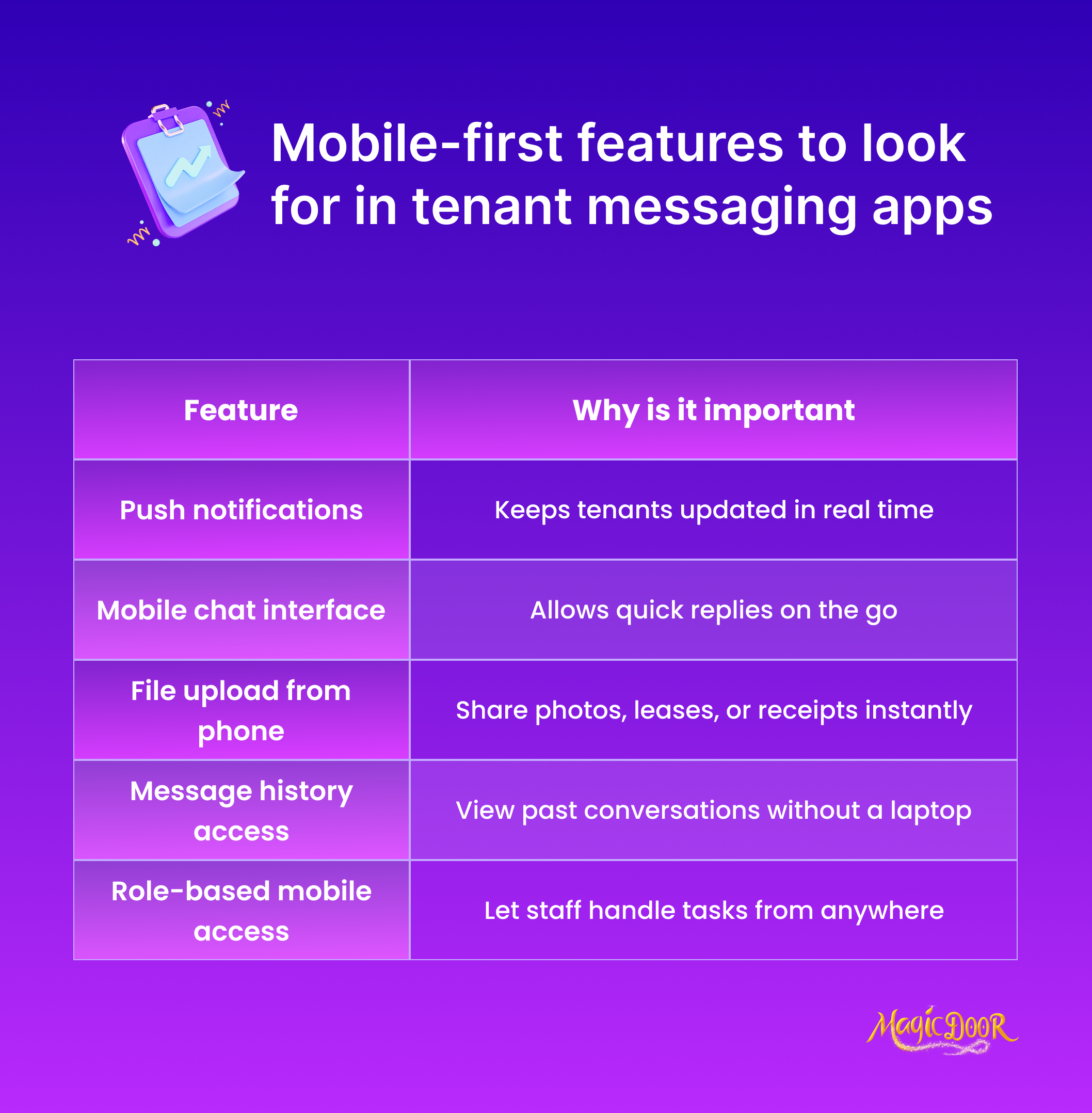
A mobile-ready system fixes that. With property management apps, messages land on your phone instantly. Tenants pay rent, share questions, or upload photos. Managers respond right away or assign tasks while walking a building. Owners stay updated, no matter where the team is.
Strong mobile access improves:
- Speed of replies to tenants and owners
- Visibility into open maintenance requests
- Coordination during maintenance issue inspections
- Performance during peak leasing periods
A tool that adapts to the movement of field work helps landlords and teams keep communication active, not delayed behind a computer screen.
MagicDoor Handles Tenant & Owner Communication Without Extra Tools
MagicDoor keeps all communication with tenants, owners, and vendors inside one dashboard. Every update connects directly to the right property, so nothing gets lost or repeated.
You can send a rent notice, approve a maintenance request, or message an owner from the same screen. The tool automatically organizes everything, so your team always knows who’s handling what.
Here’s what makes MagicDoor stand out:
- Single inbox: All messages stay visible by property, tenant, or task.
- Automated reminders: Rent dates, inspection times, and renewal notices go out automatically.
- Clear roles: Leasing, accounting, and maintenance staff only see what’s relevant to their work.
- Full history: Each message remains linked to the property, so you can track conversations anytime.
- Mobile-ready: Reply to tenants or approve requests while you’re on-site, no laptop needed.
For property managers tired of changing between apps or chasing updates, MagicDoor keeps communication organized and steady. One login, one system, everything connected.
Conclusion
Communication drives every part of property management, from rent collection to maintenance. The better your system, the easier your day.
Tools like MagicDoor, AppFolio, and Buildium help managers stay responsive and reliable without adding more manual work. Tenants know where to reach you. Owners get updates on time. And your team has fewer loose ends to track.
If you’re ready for fewer emails and faster replies, start with a platform built for that purpose. The right setup turns daily communication into something simple, clear, quick, and easy to manage from anywhere.
Get started with MagicDoor today.